> ## Documentation Index
> Fetch the complete documentation index at: https://docs.superjoin.ai/llms.txt
> Use this file to discover all available pages before exploring further.
# How to remove teammates from Superjoin?
> Step-by-step guide to remove teammates from Superjoin
Below are the instructions to cancel paid licenses for your teammates if you are handling them. If they handle their own licenses, they can do so by following [these steps](/faqs/cancel-superjoin-subscription).
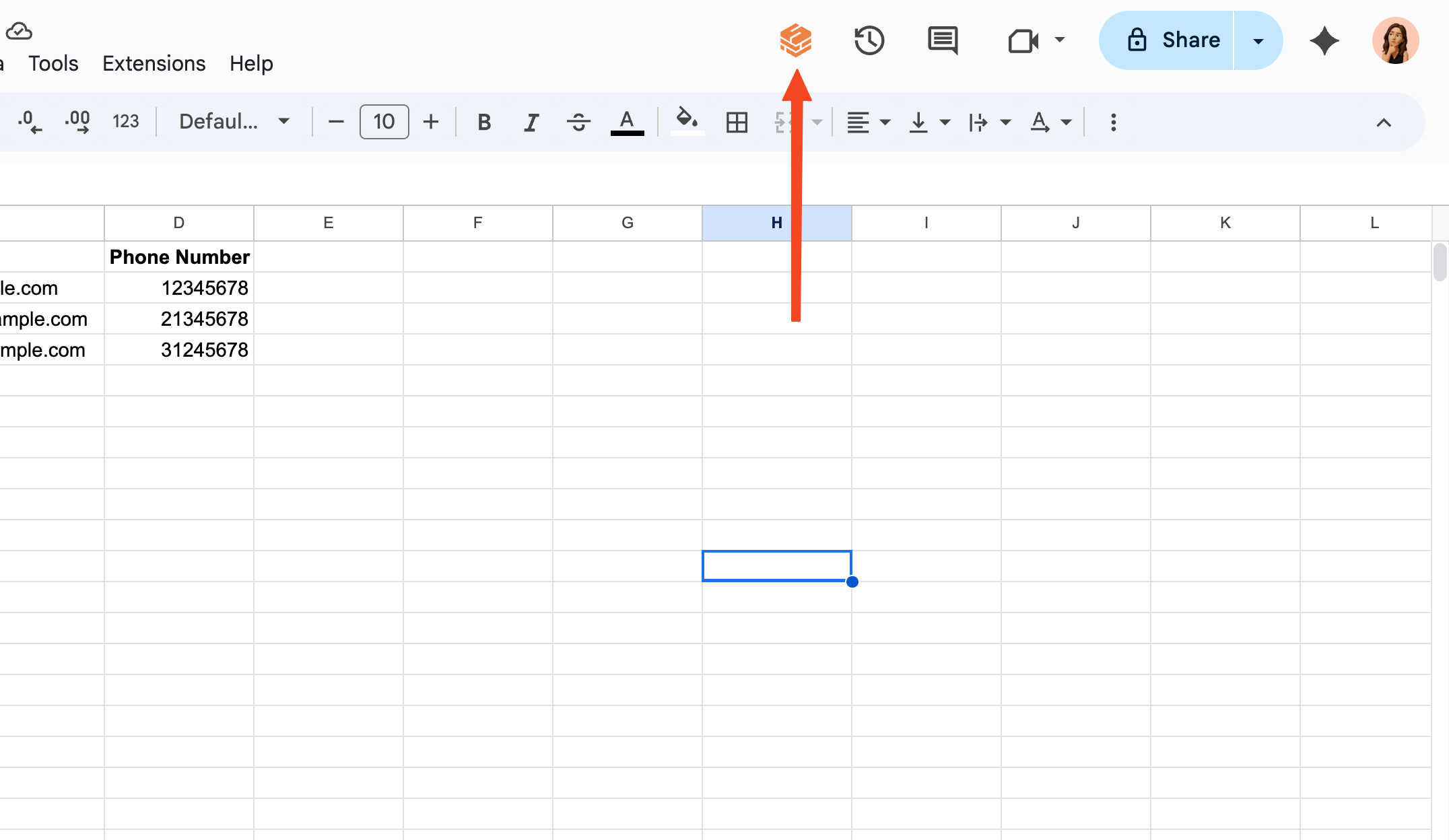
Open Superjoin by clicking on the icon that is on the top right of your Google Sheets.
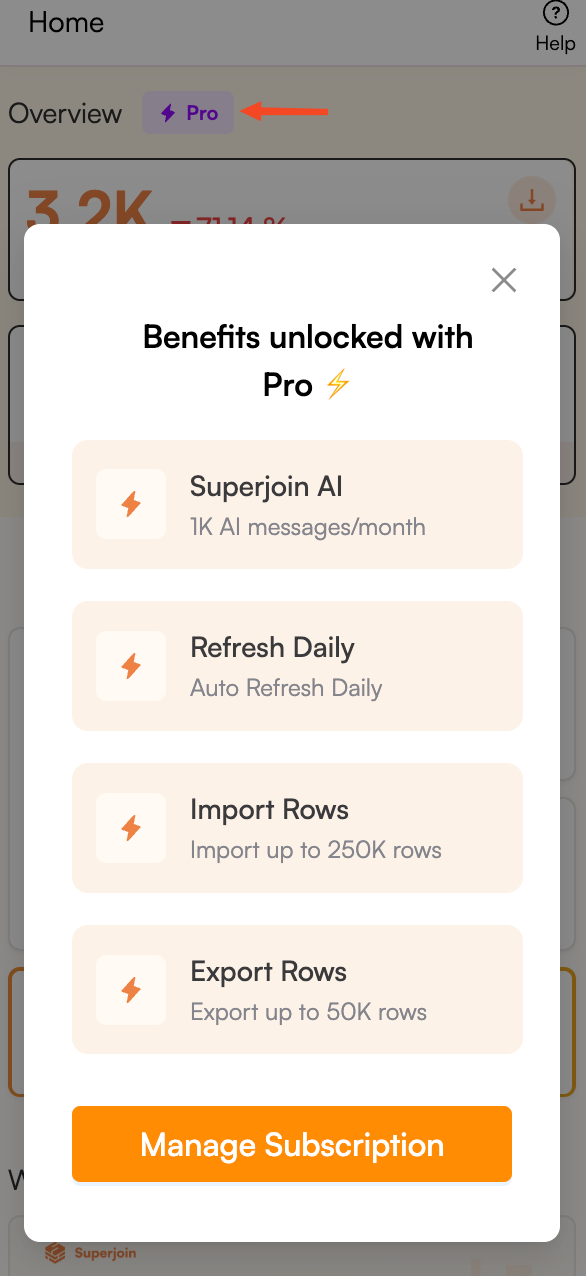
 Click the purple button on the top of the screen that shows your current plan and click on "Manage Subscription" button.
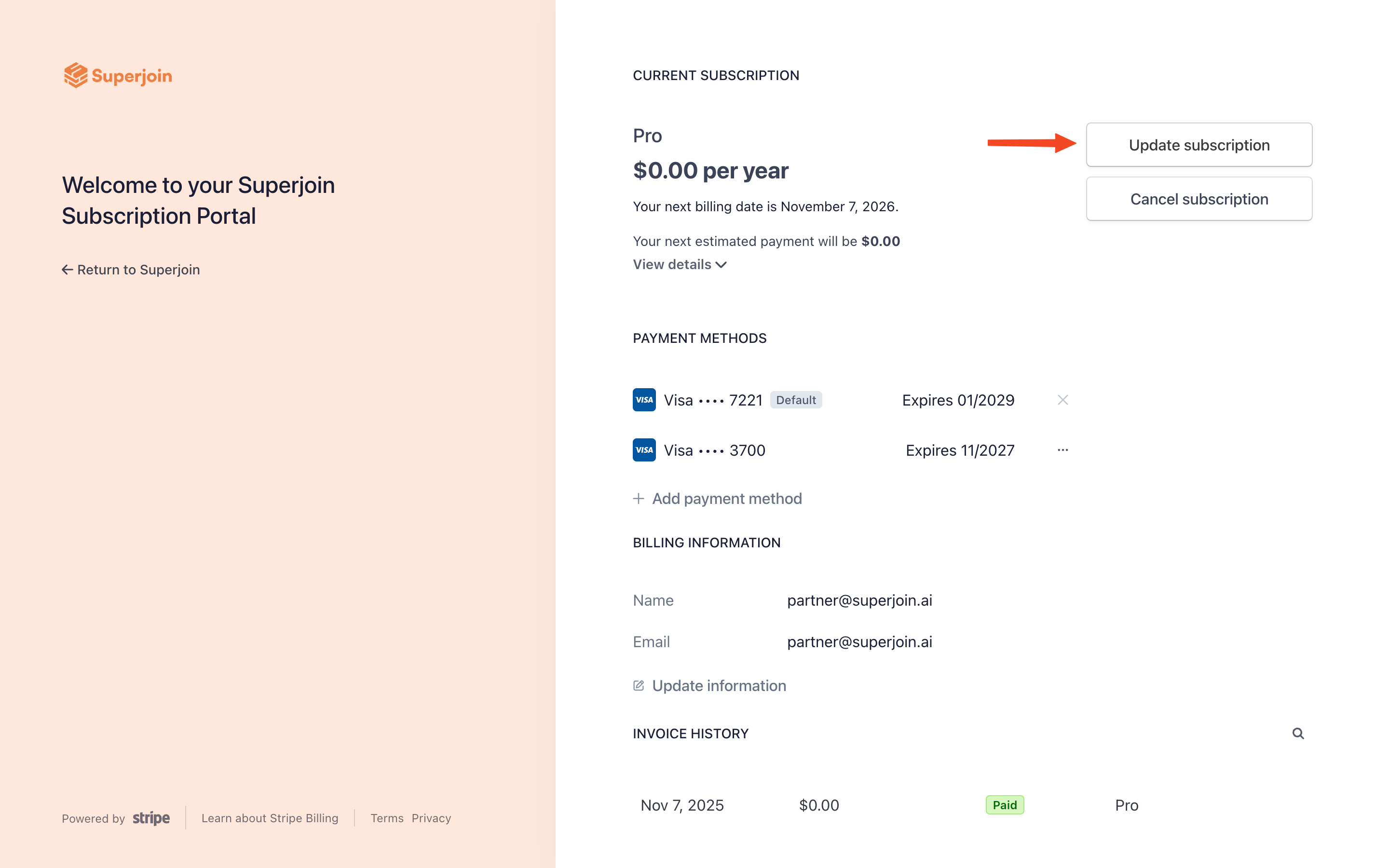
 Click the "Update subscription" button on the top right of the screen.
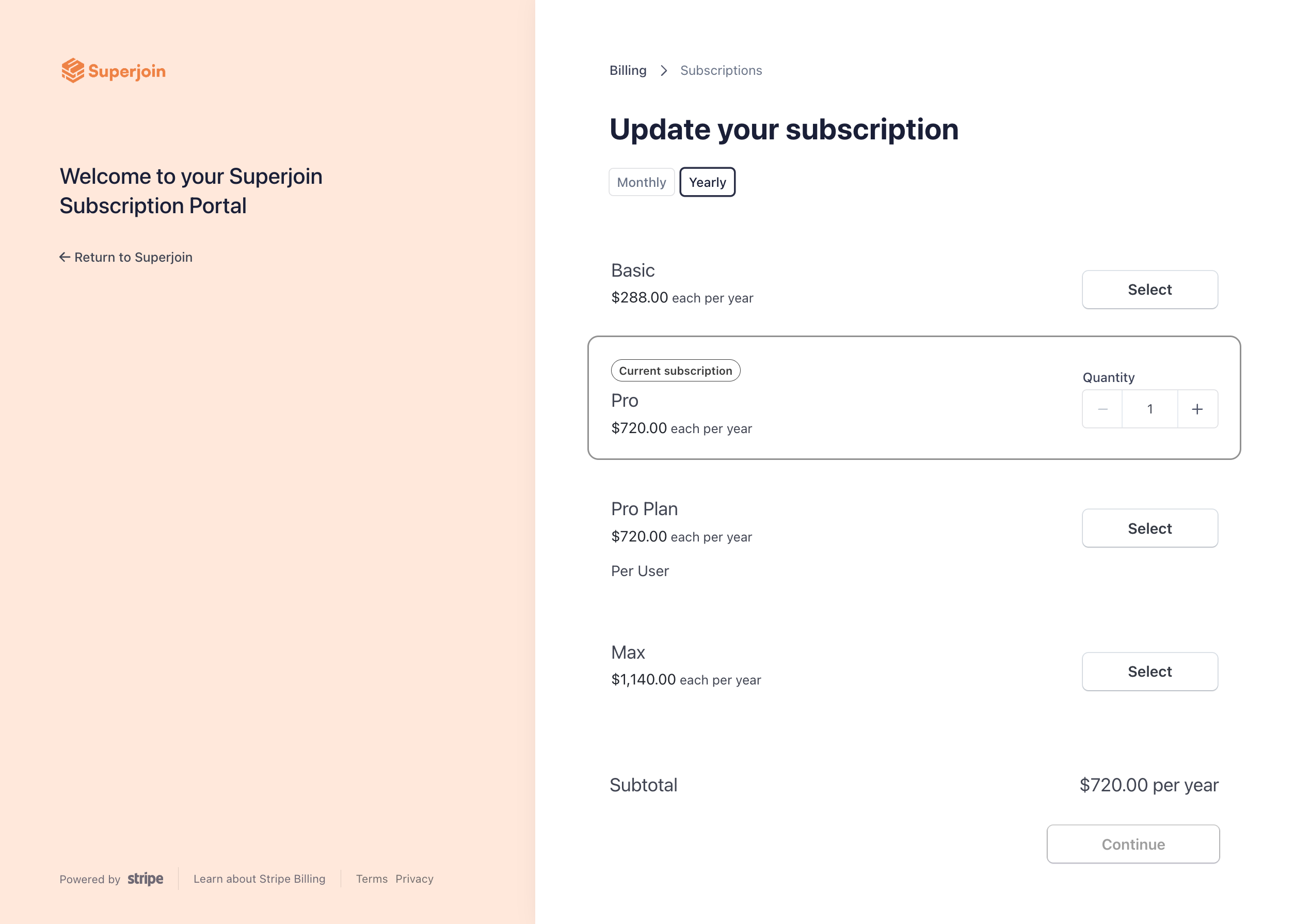
 Click on the - (minus) button next to your plan to remove the seats for your teammates.
 Once you have removed the seat(s), reach out to Superjoin Support via [support@superjoin.ai](mailto:support@superjoin.ai) and provide them with the email addresses of the teammates you want to remove from Superjoin. We will deactivate your teammates' licenses promptly.
Congratulations! You have successfully removed teammates to your Superjoin account and can now collaborate effectively.
Once you have removed the seat(s), reach out to Superjoin Support via [support@superjoin.ai](mailto:support@superjoin.ai) and provide them with the email addresses of the teammates you want to remove from Superjoin. We will deactivate your teammates' licenses promptly.
Congratulations! You have successfully removed teammates to your Superjoin account and can now collaborate effectively.