> ## Documentation Index
> Fetch the complete documentation index at: https://docs.superjoin.ai/llms.txt
> Use this file to discover all available pages before exploring further.
# HubSpot Glossary
> This is the explanation of HubSpot terms used in Superjoin
## Undertanding HubSpot's Data Model
The main components of the HubSpot data model are:
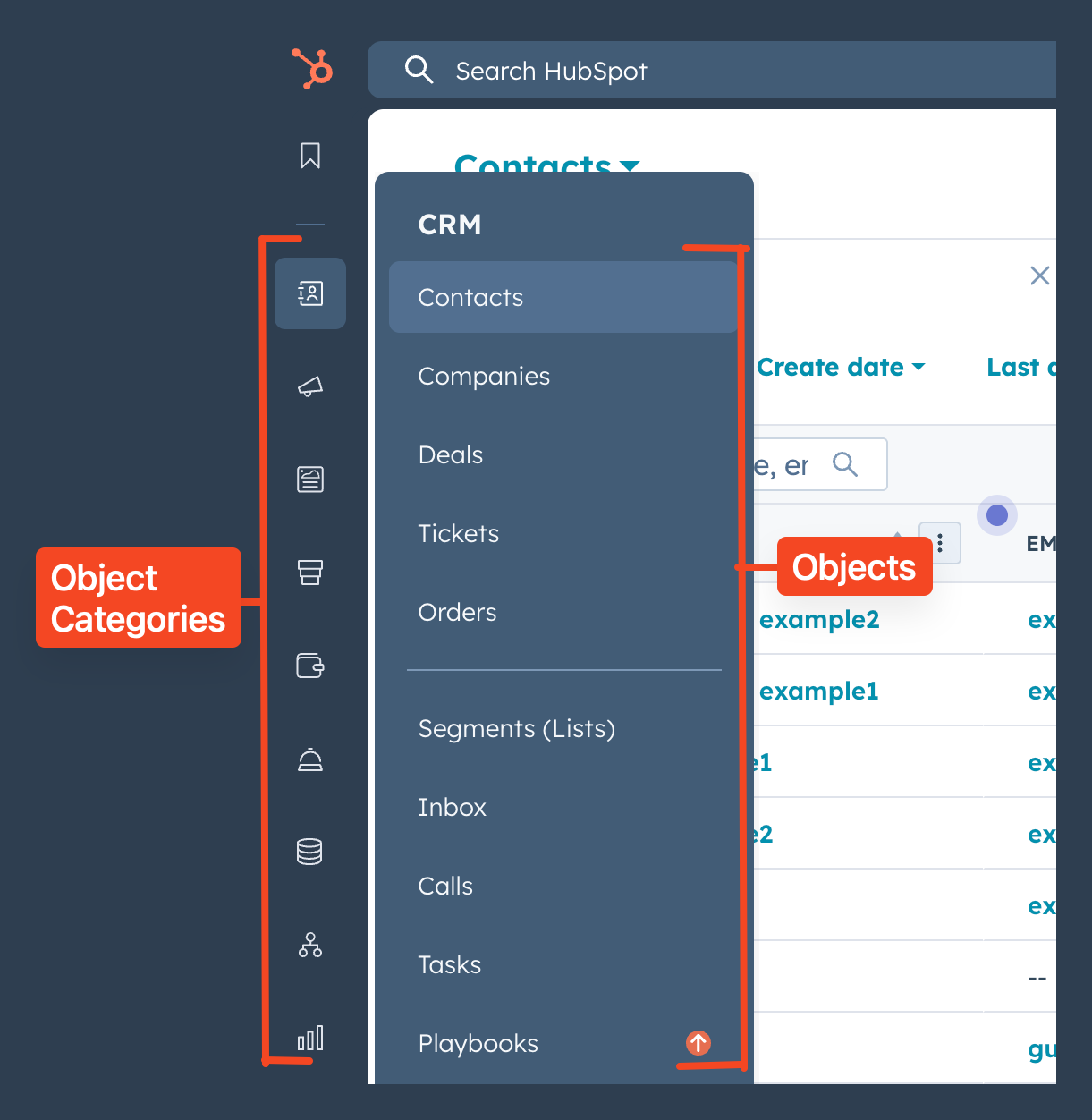
**Objects**: represent your customers and business process information. They're grouped into categories: foundational, sales, marketing, and service. Several objects belong in multiple categories (e.g., services), while others are unique and fit into all depending on your use case.
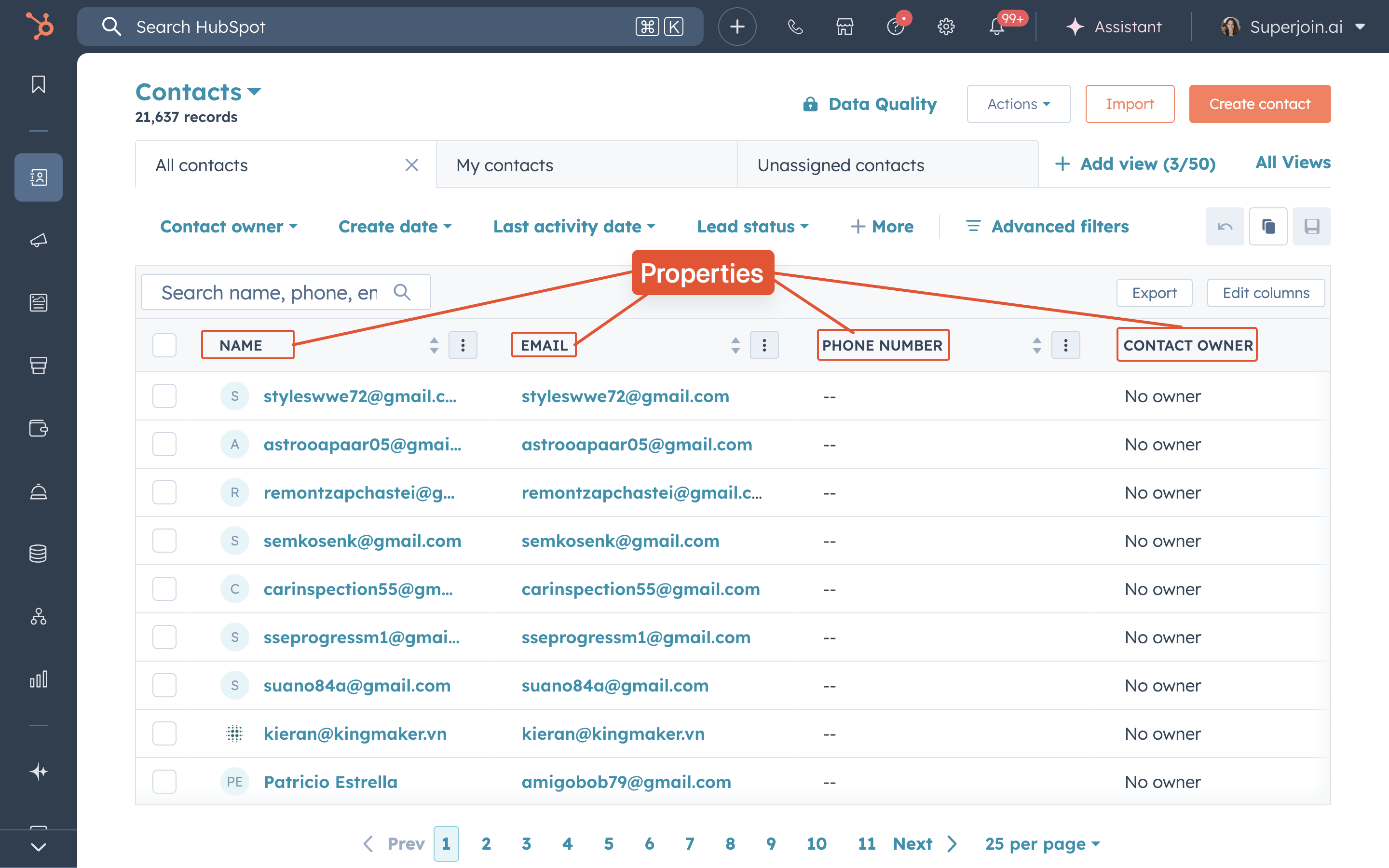
 **Properties a.k.a Fields**: the different fields where you can store information on a record. There are default properties included in your account for each object. For most objects, you can also create custom properties to reflect your business needs.
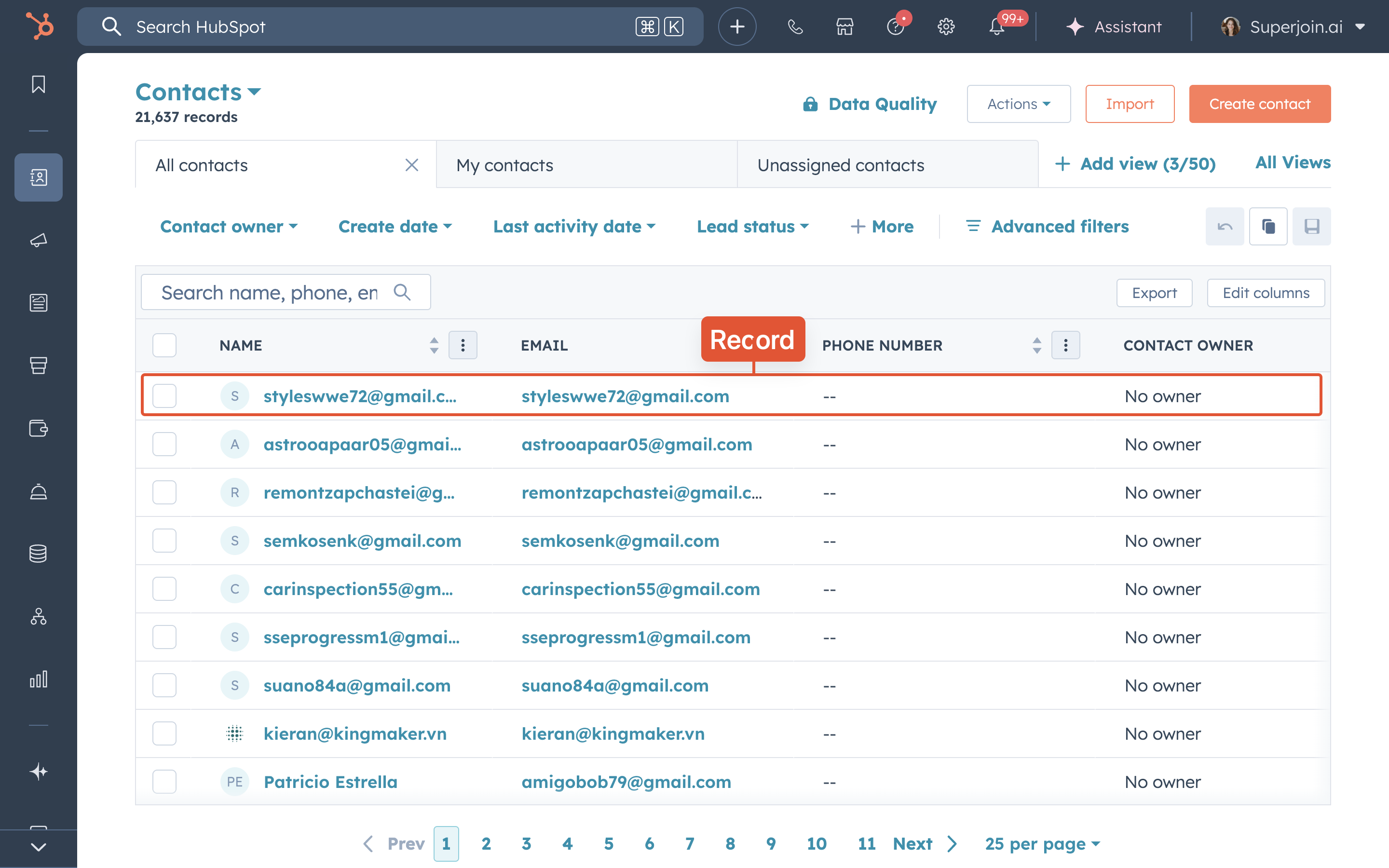
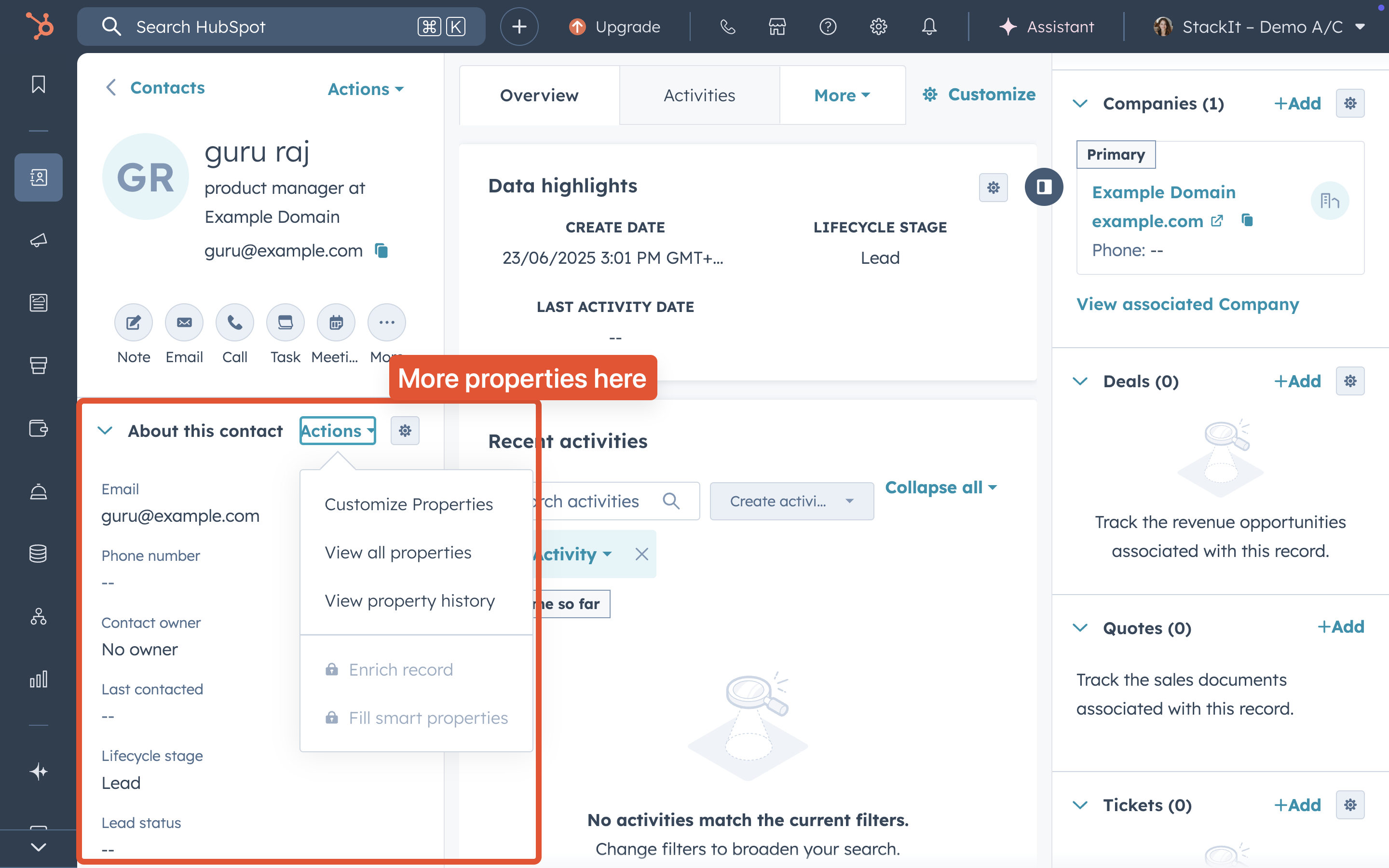 **Records**: single instances of an object, where you can store information in properties, track interactions, and view associations.
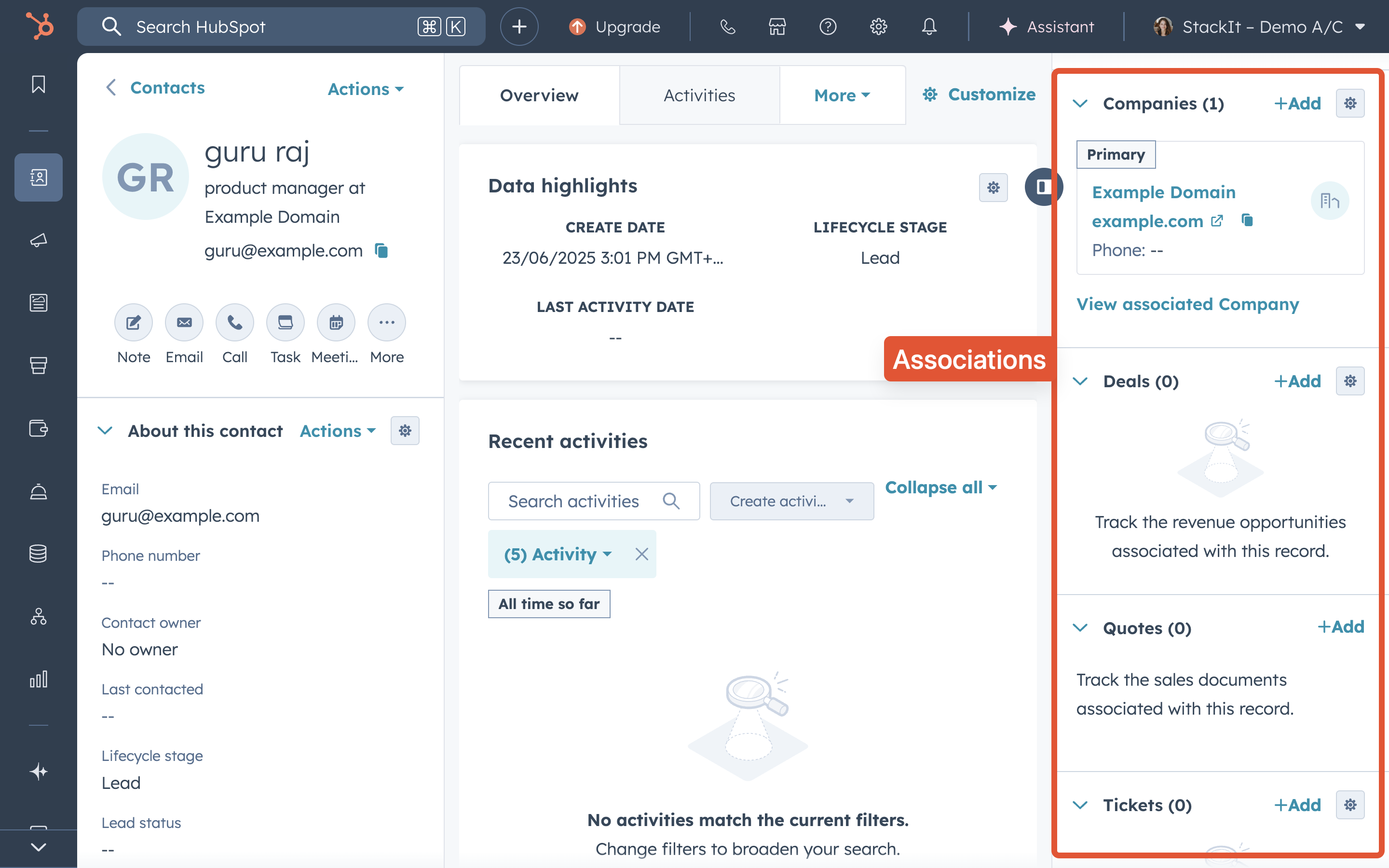
 **Associations**: relationships between records. Associations are always two-way (i.e., if record A is associated with record B, record B is also associated with record A). You can associate records of different objects (e.g., companies and deals) or same objects (e.g., contacts and contacts). You can have multiple associations between two records (e.g., a contact can be associated with multiple deals).
**Primary Associations**: In HubSpot, a primary association is the main record that another record is linked to, most commonly a primary company for a contact or deal. For example, if a contact works at multiple companies, the primary company is the main one they're associated with, and you can manually set or automatically assign this label. This designation is used in HubSpot tools like lists and workflows to identify the principal relationship.
**Associations**: relationships between records. Associations are always two-way (i.e., if record A is associated with record B, record B is also associated with record A). You can associate records of different objects (e.g., companies and deals) or same objects (e.g., contacts and contacts). You can have multiple associations between two records (e.g., a contact can be associated with multiple deals).
**Primary Associations**: In HubSpot, a primary association is the main record that another record is linked to, most commonly a primary company for a contact or deal. For example, if a contact works at multiple companies, the primary company is the main one they're associated with, and you can manually set or automatically assign this label. This designation is used in HubSpot tools like lists and workflows to identify the principal relationship.
 If you're new to HubSpot or want to learn more about HubSpot's data model, refer to [HubSpot's official documentation](https://knowledge.hubspot.com/records/understand-objects).
## Superjoin's Representation of HubSpot's Data Model
Here is the visual representation of HubSpot's data model in Superjoin when importing data from HubSpot to Google Sheets.
If you're new to HubSpot or want to learn more about HubSpot's data model, refer to [HubSpot's official documentation](https://knowledge.hubspot.com/records/understand-objects).
## Superjoin's Representation of HubSpot's Data Model
Here is the visual representation of HubSpot's data model in Superjoin when importing data from HubSpot to Google Sheets.
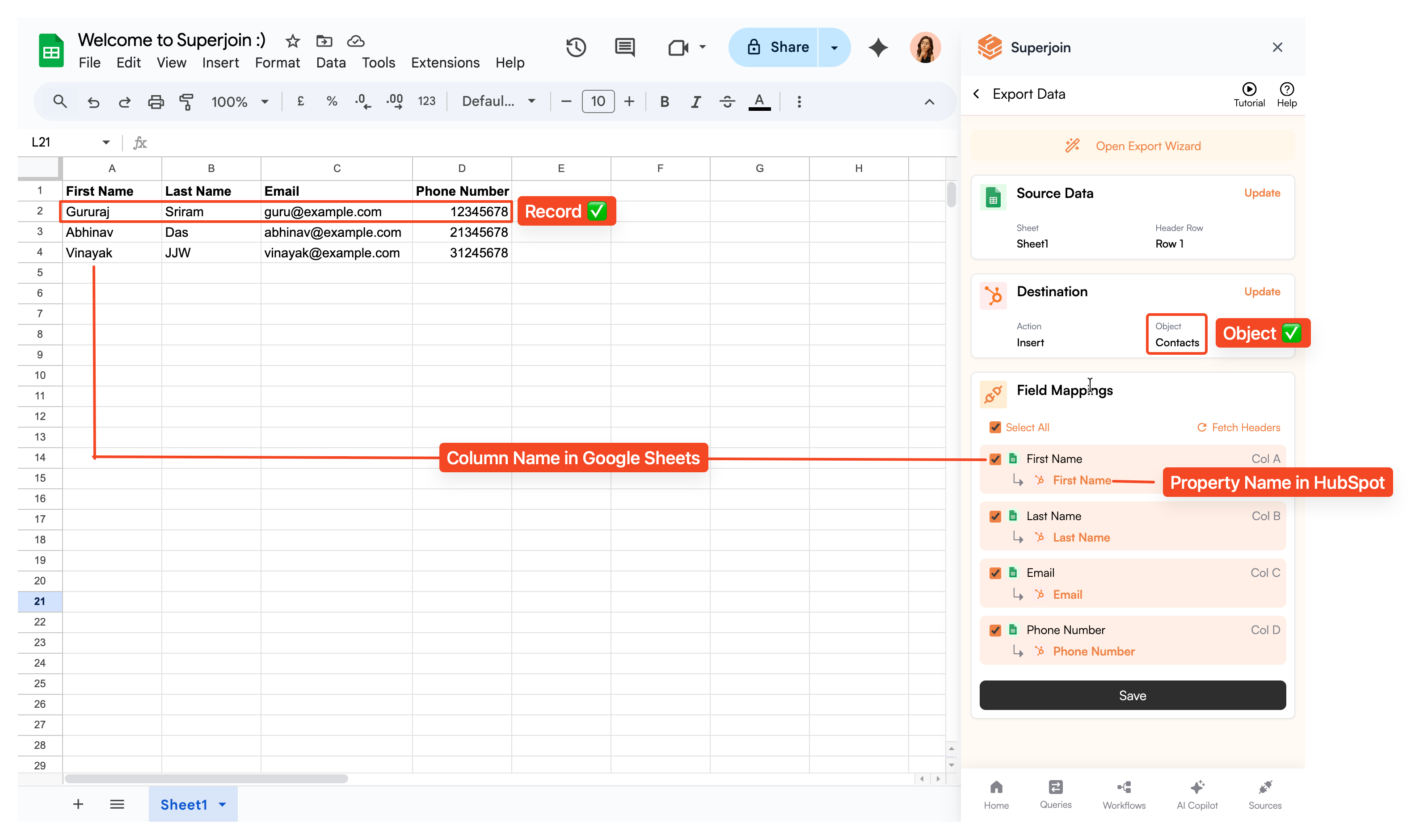
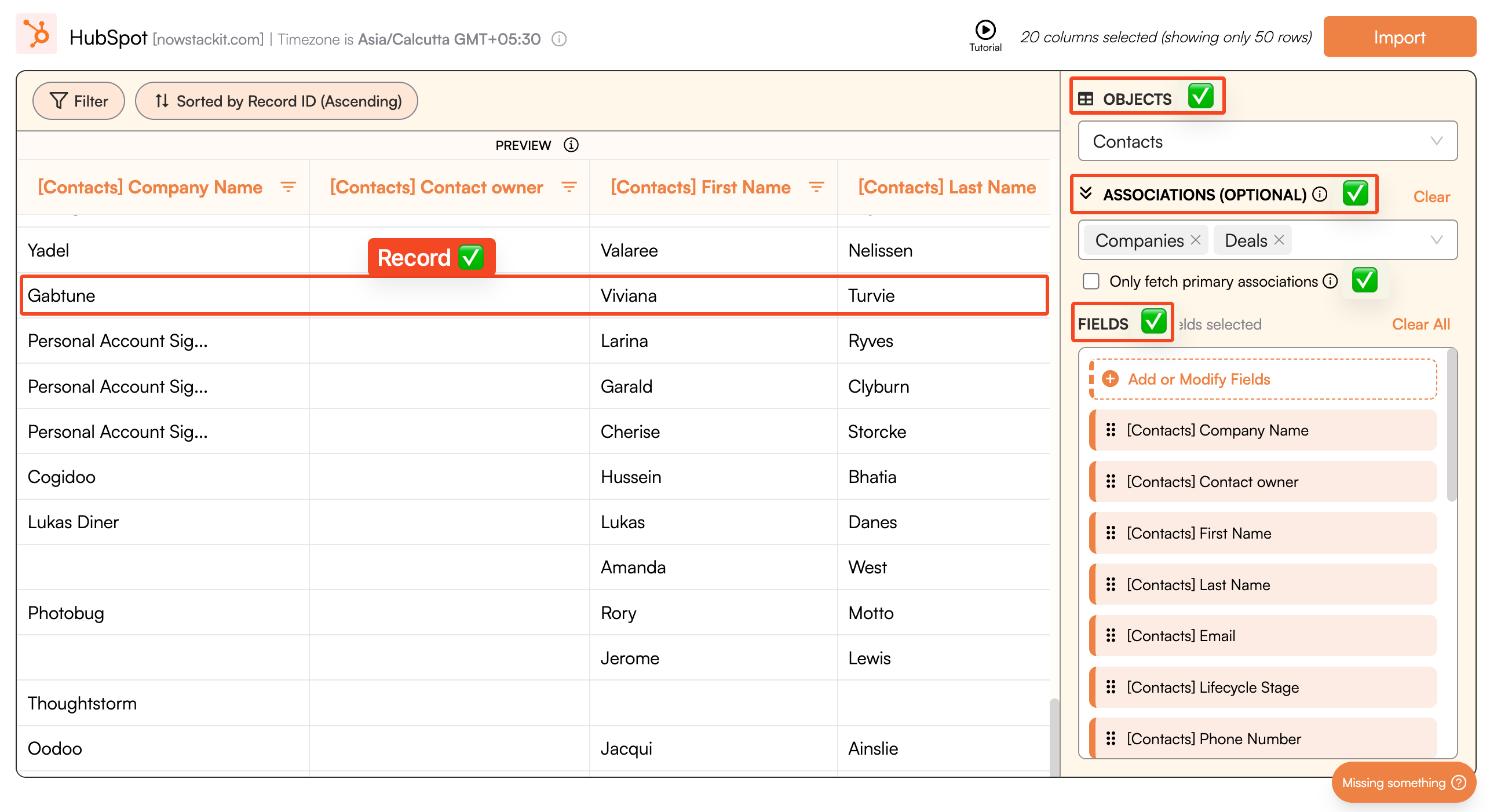 Here is the visual representation of HubSpot's data model in Superjoin when exporting data from Google Sheets to HubSpot.