> ## Documentation Index
> Fetch the complete documentation index at: https://docs.superjoin.ai/llms.txt
> Use this file to discover all available pages before exploring further.
# How to acquire MailChimp Credentials?
> Proceed with the outlined steps to acquire MailChimp credentials.
## Step-by-step walkthrough: How to obtain Mailchimp API token
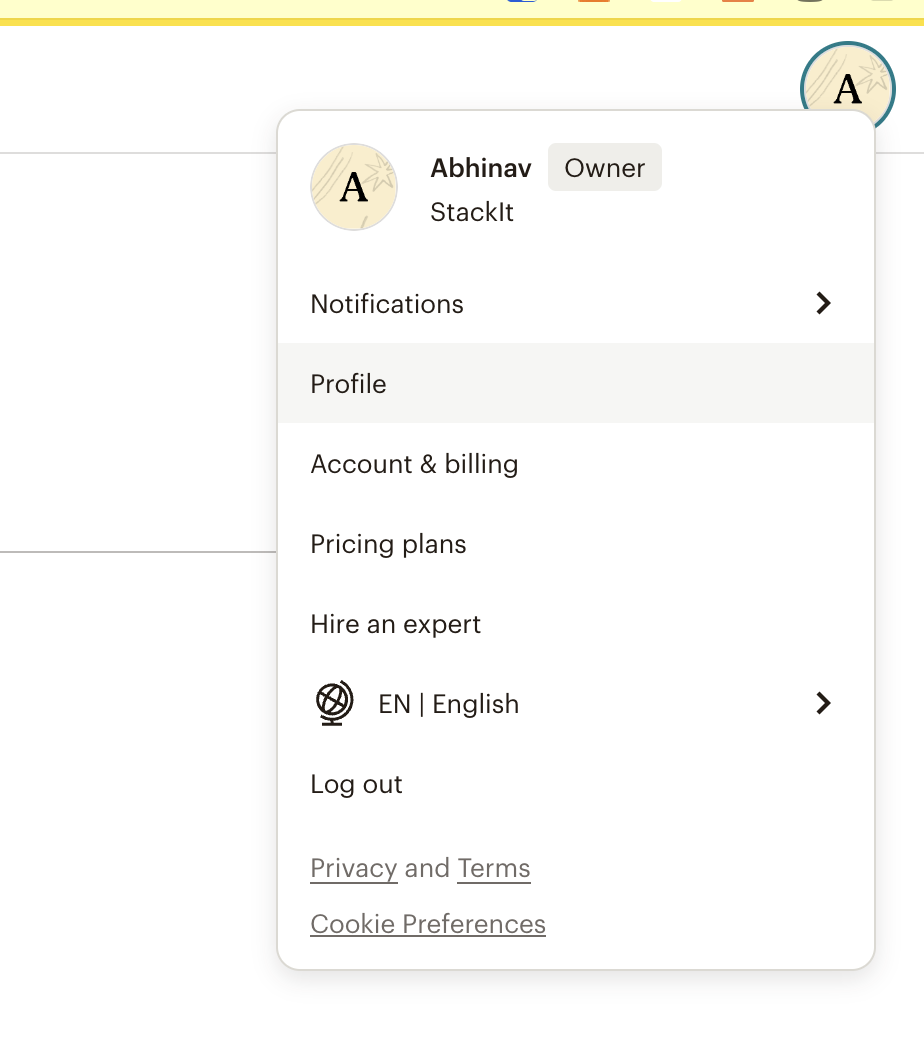
Click your profile icon and choose Profile.
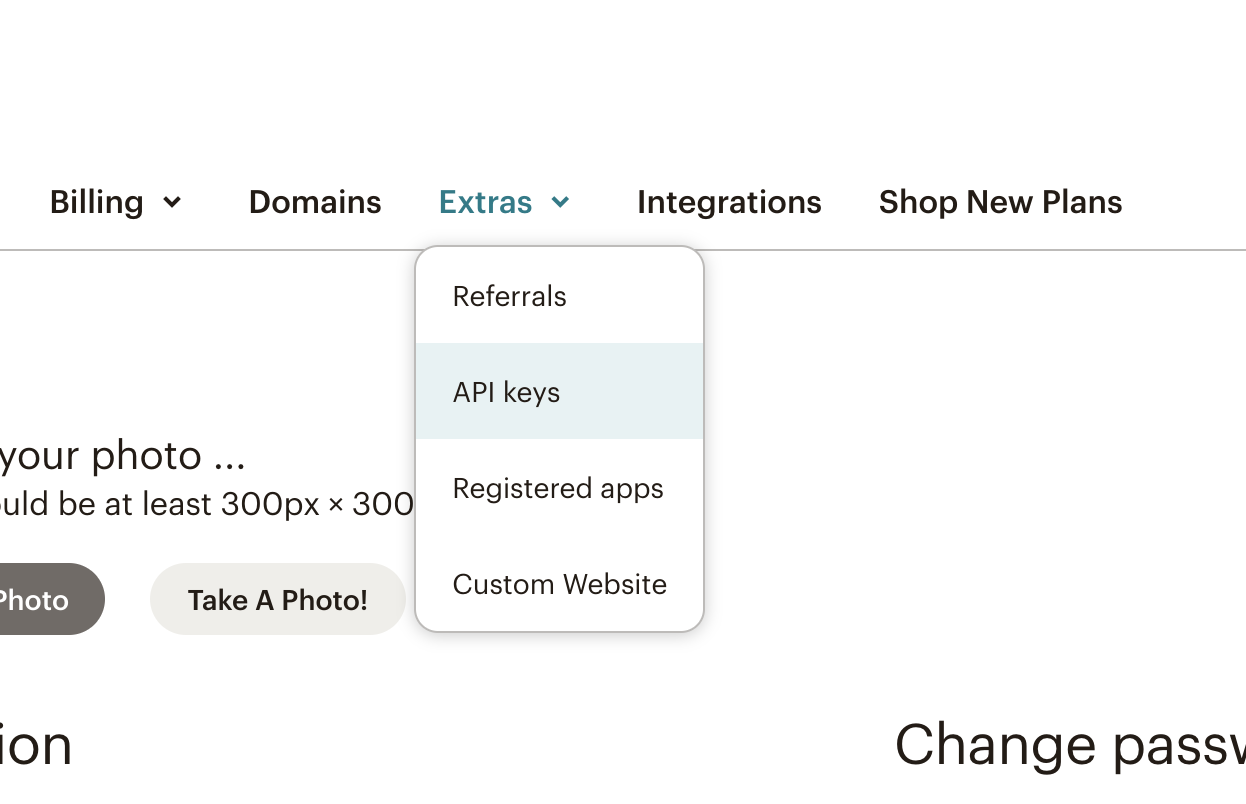
 Click the Extras drop-down then choose API keys.
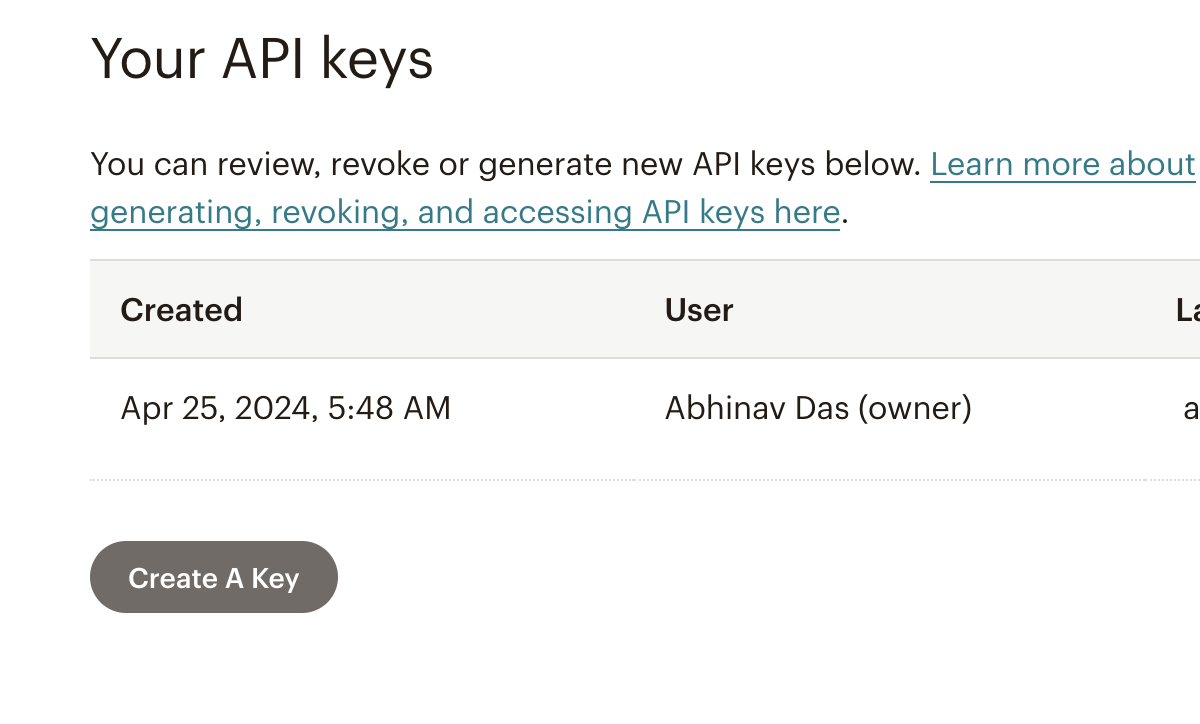
 In the Your API Keys section, click Create A Key.
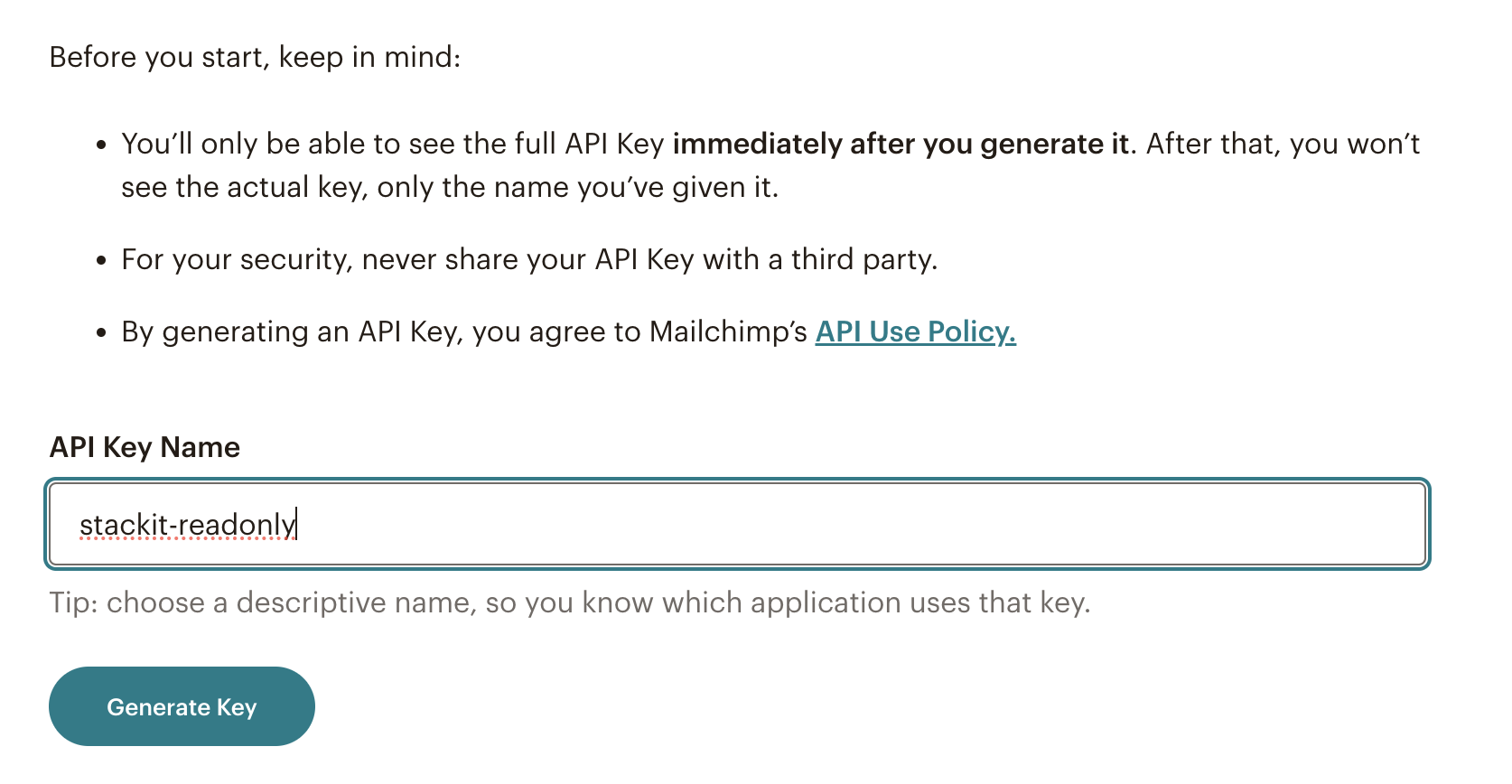
 Name your key as Superjoin-readonly. Keep in mind that you'll see only this name and the first 4 key digits on your list of API keys. Click Generate Key.
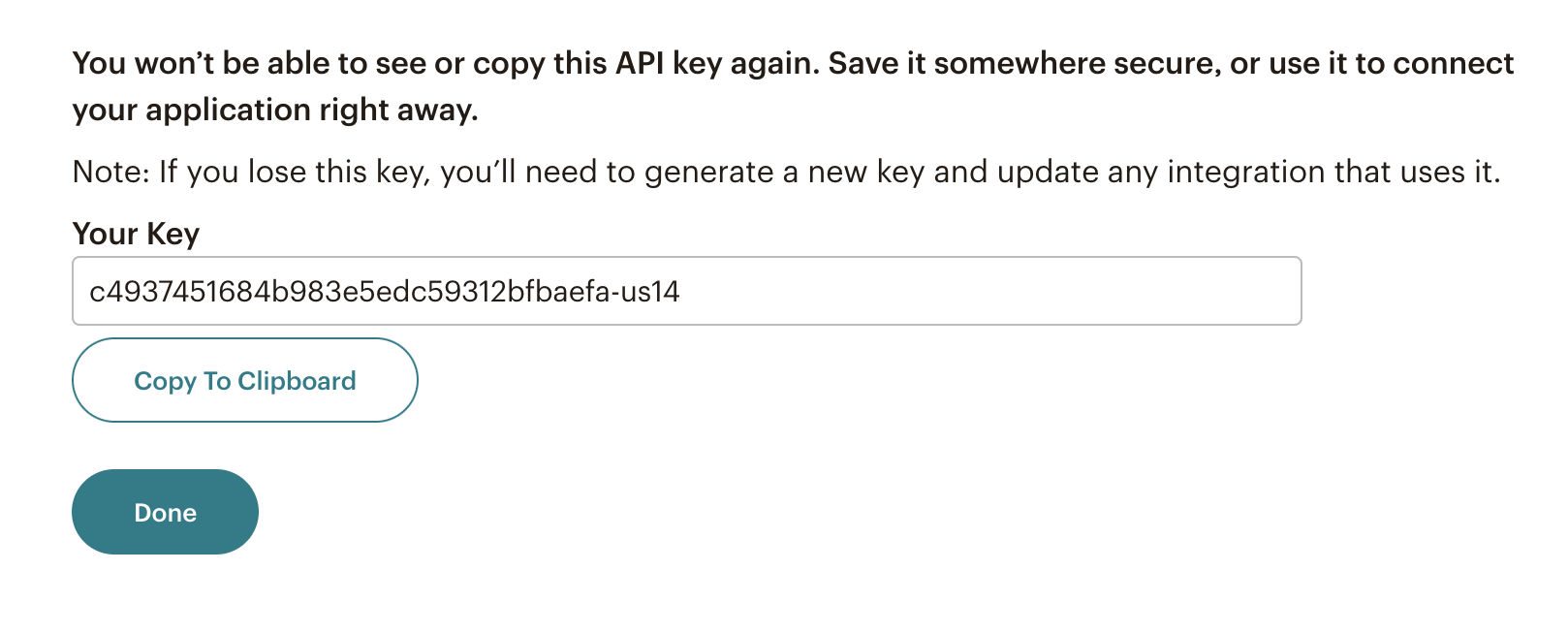
 Once Mailchimp generates your key, click Copy Key to Clipboard. Save your key someplace secure, you won't be able to see or copy it again.
 For more details, use Mailchimp Documentation: [https://mailchimp.com/help/about-api-keys/#api+key+security](https://mailchimp.com/help/about-api-keys/#api+key+security)
## Setting up Mailchimp
Head over to the Mailchimp overview page to get a step by step guide to connect.
For more details, use Mailchimp Documentation: [https://mailchimp.com/help/about-api-keys/#api+key+security](https://mailchimp.com/help/about-api-keys/#api+key+security)
## Setting up Mailchimp
Head over to the Mailchimp overview page to get a step by step guide to connect.