> ## Documentation Index
> Fetch the complete documentation index at: https://docs.superjoin.ai/llms.txt
> Use this file to discover all available pages before exploring further.
# How to acquire Pipedrive Credentials?
> Proceed with the outlined steps to acquire Pipedrive credentials.
## Step-by-step walkthrough: How to obtain Pipedrive credentials
Click on Profile icon on top-right side and select Company Settings
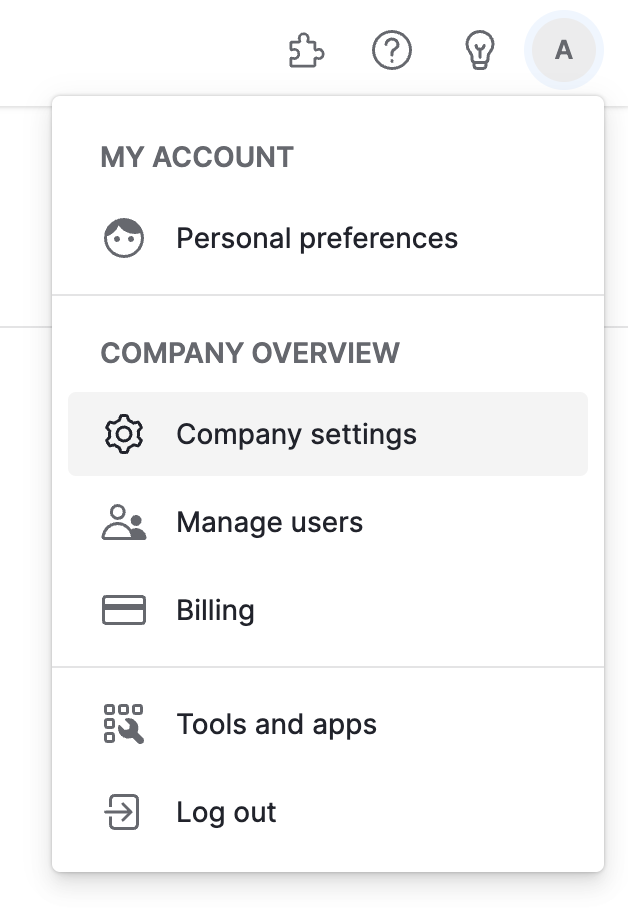 Choose Personal preferences and then select API
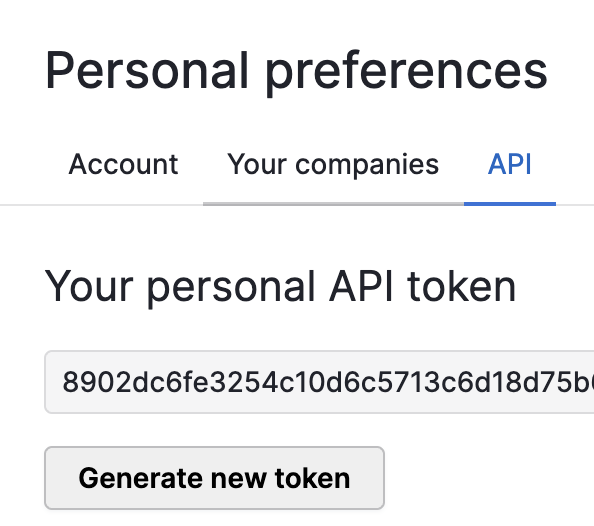
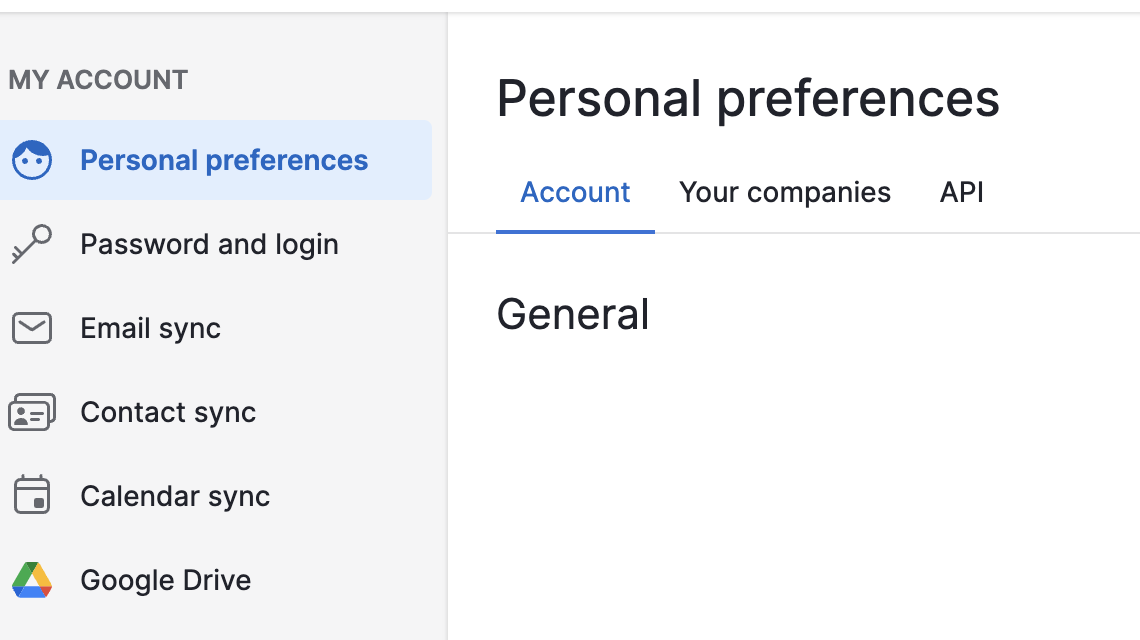 Copy the API key and use it in Superjoin.
 For more details, use Pipedrive Documentation: [https://pipedrive.readme.io/docs/how-to-find-the-api-token](https://pipedrive.readme.io/docs/how-to-find-the-api-token)
## Setting up Pipedrive
Head over to the Pipedrive page to get a step by step guide to connect.
For more details, use Pipedrive Documentation: [https://pipedrive.readme.io/docs/how-to-find-the-api-token](https://pipedrive.readme.io/docs/how-to-find-the-api-token)
## Setting up Pipedrive
Head over to the Pipedrive page to get a step by step guide to connect.