1
Launch Superjoin
Open Superjoin by clicking on the icon that is on the top right of your Google Sheets.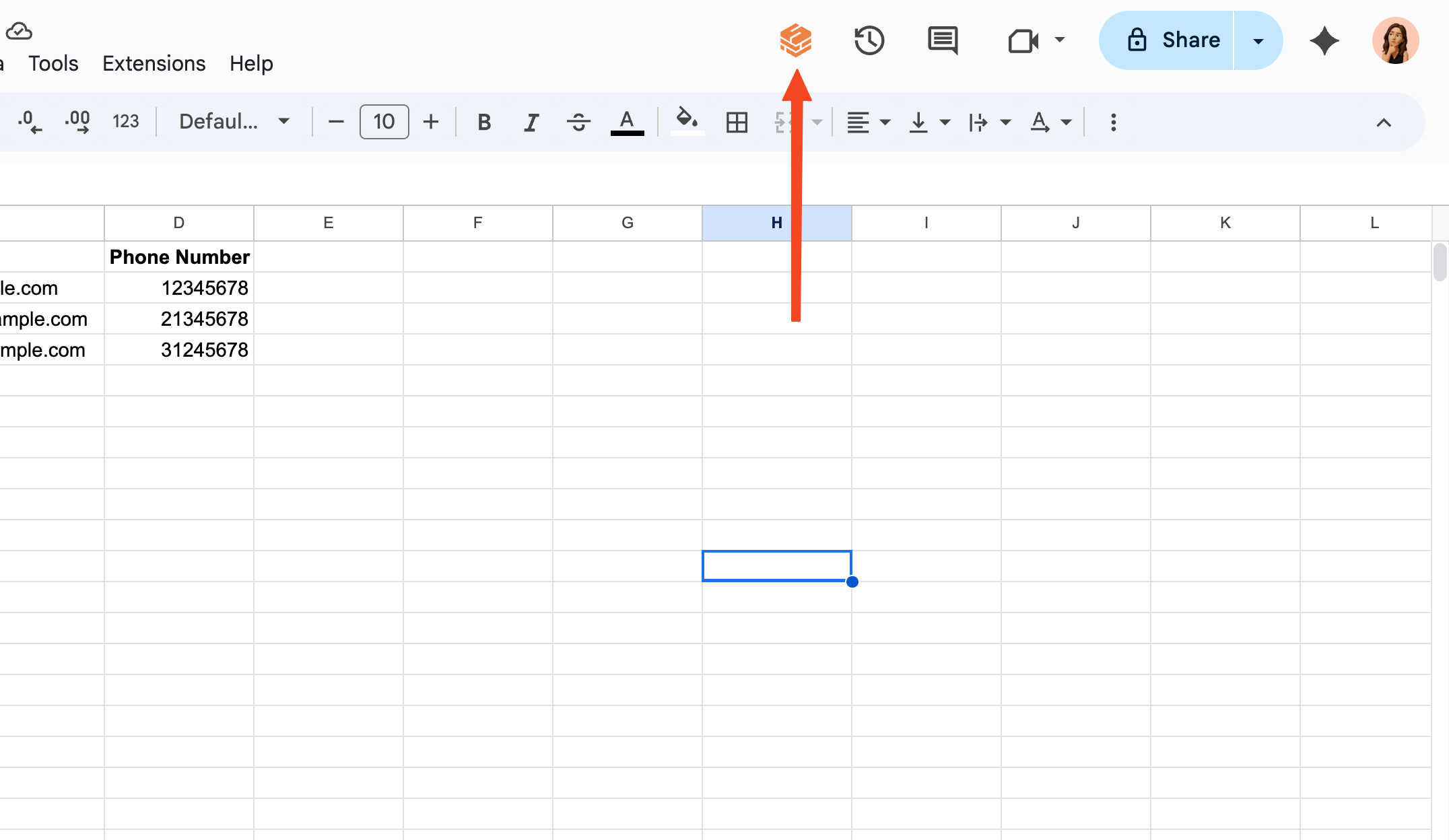
2
Choose to Upgrade
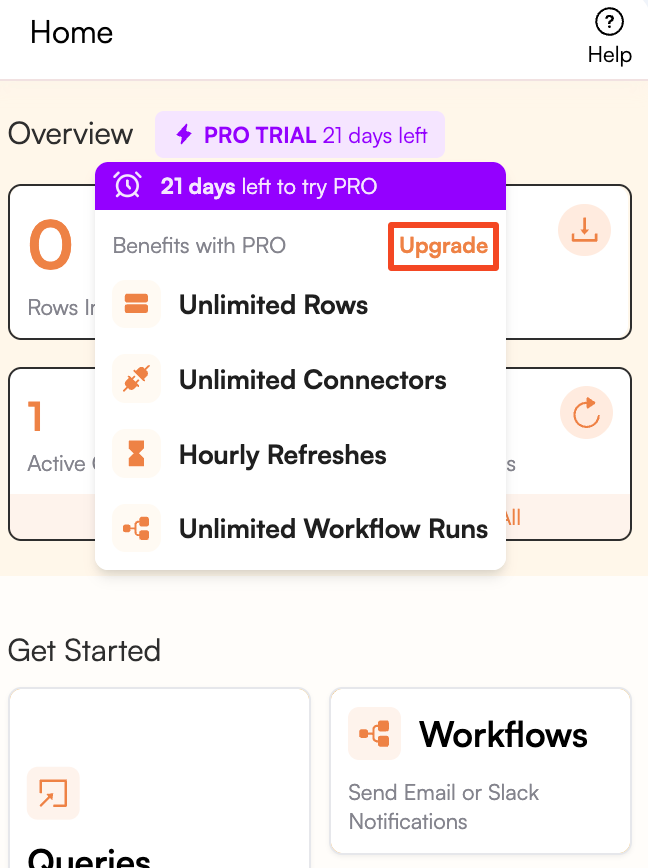
If you're in Trial, hover over the purple button on the top of the screen and click on Upgrade button.
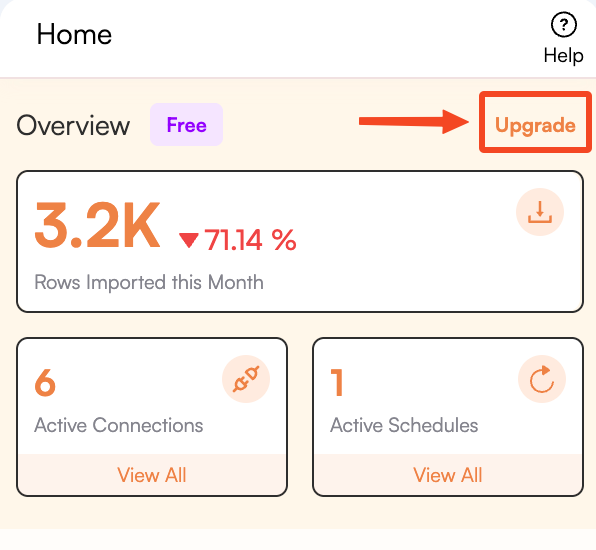
If you're in the Free plan, click the Upgrade button thats is on the top right of the Superjoin homepage.
3
Select a Paid Plan
Browse through the available paid plans and select the one that best suits your needs by clicking on the “Buy Now” button below the desired plan.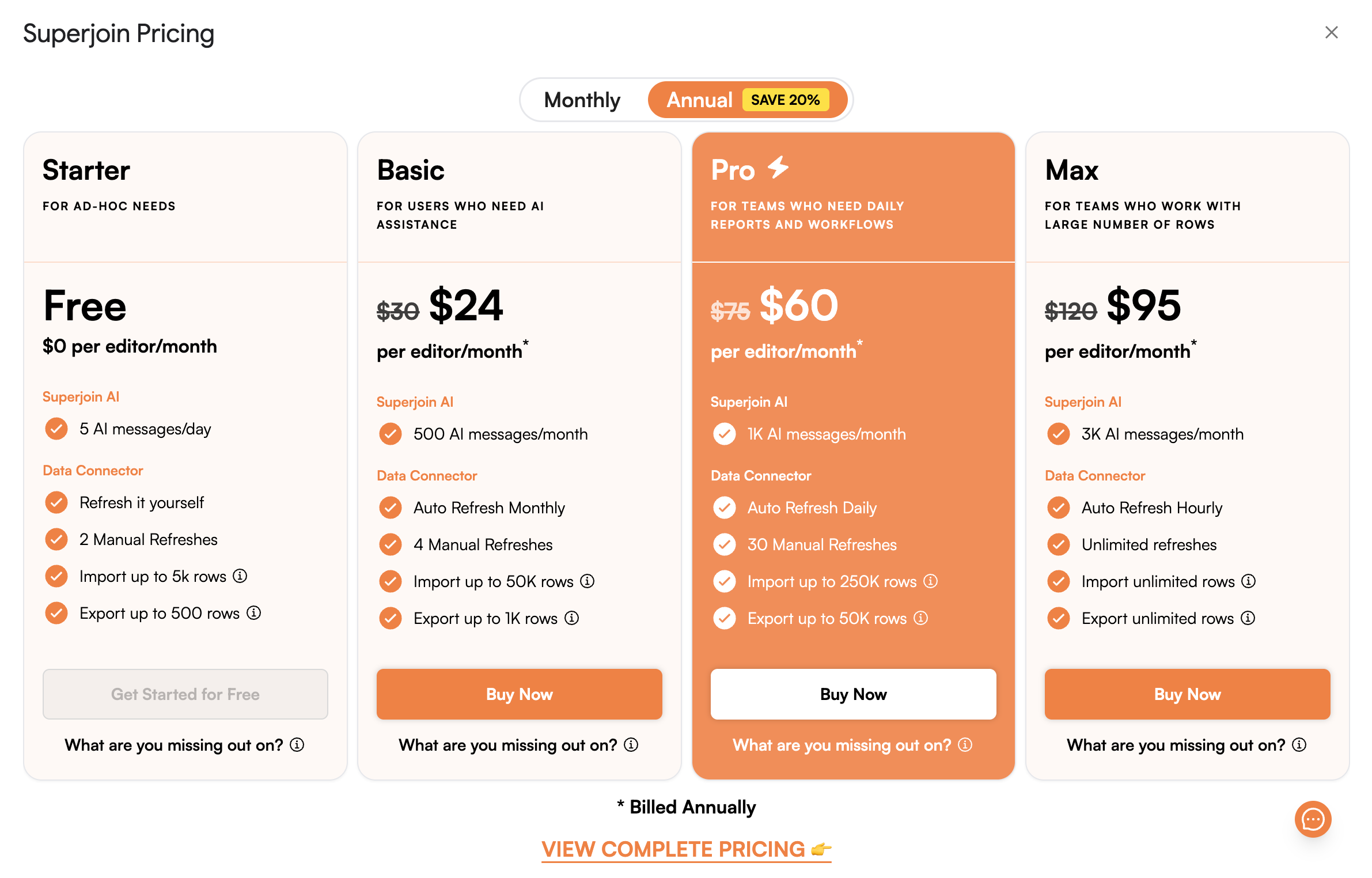
4
Enter Payment Details
Fill in your payment details and complete the purchase process.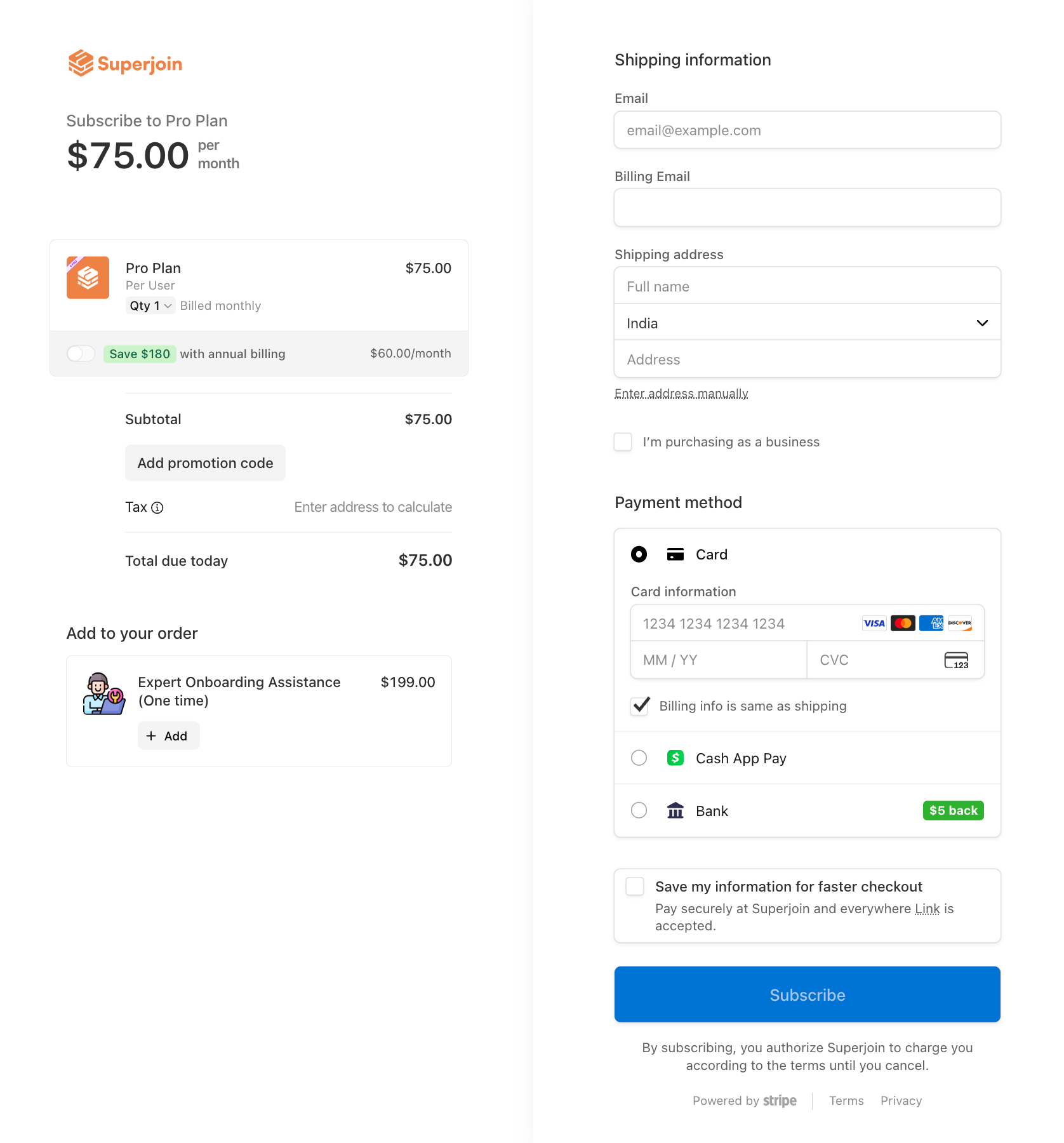
5
You're all set!
Congratulations! You have successfully purchased a Superjoin Paid Plan and can now enjoy its benefits.