

Below are the instructions to cancel paid licenses for your teammates if you are handling them. If they handle their own licenses, they can do so by following these steps.
1
Launch Superjoin
Open Superjoin by clicking on the icon that is on the top right of your Google Sheets.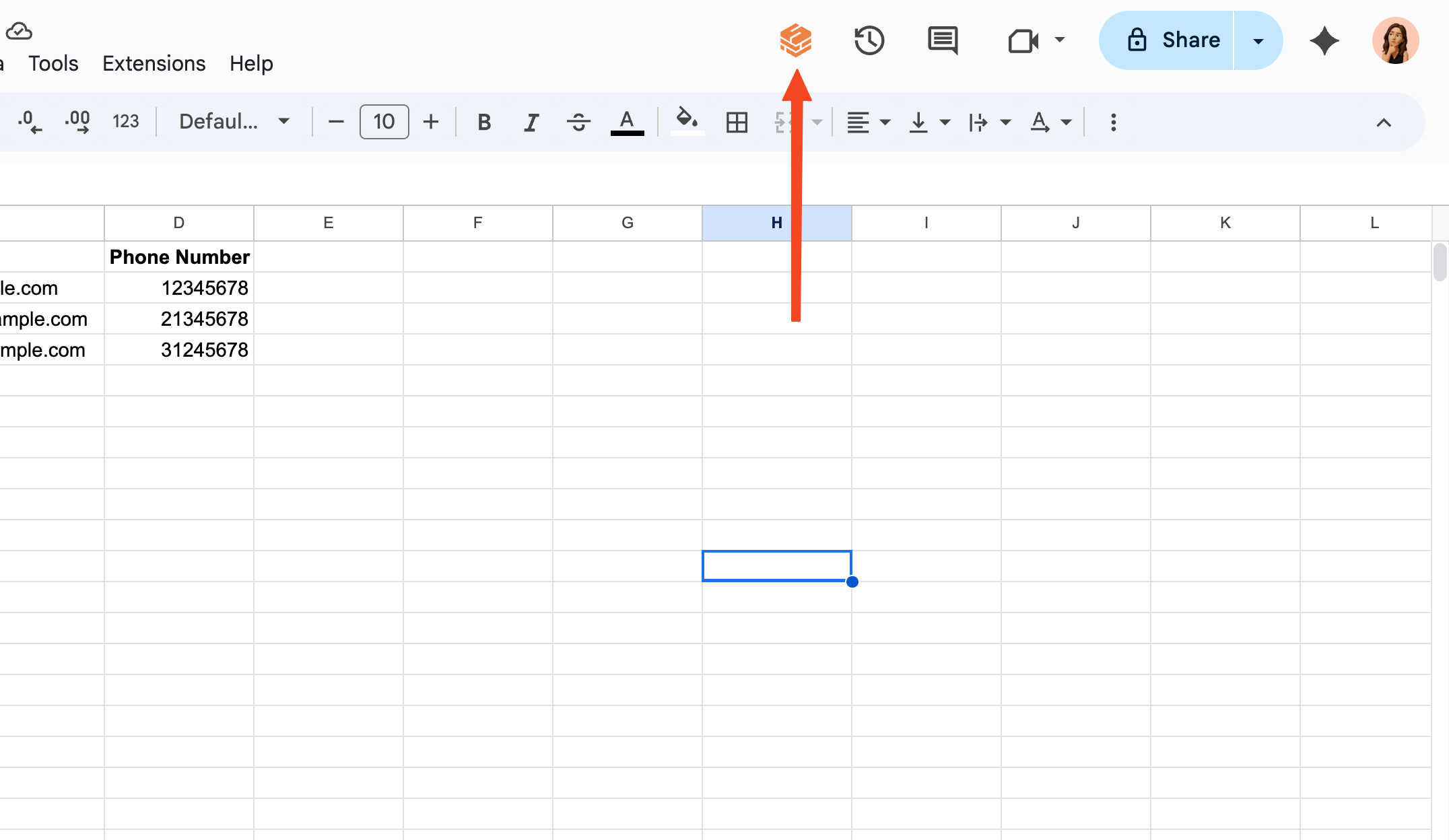
2
Go to Account Management Dashboard
Click the purple button on the top of the screen that shows your current plan and click on “Manage Subscription” button.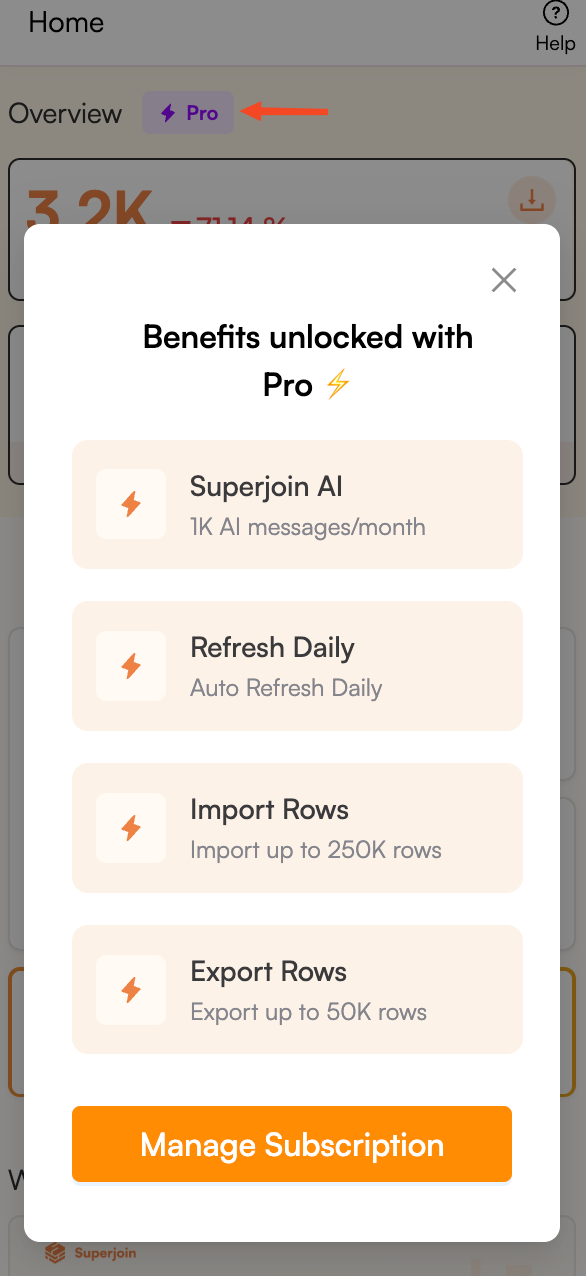
3
Choose to update your subscription
Click the “Update subscription” button on the top right of the screen.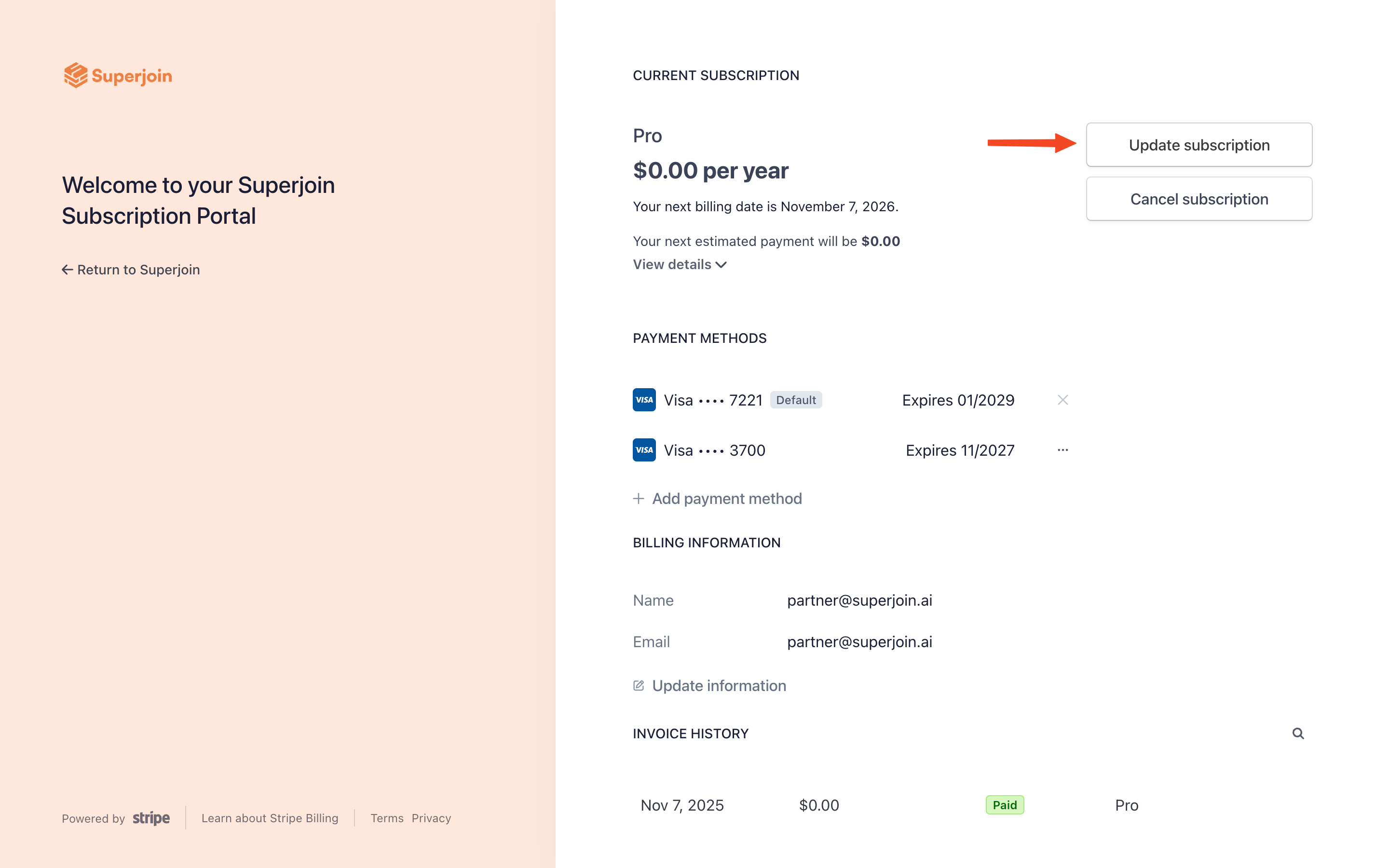
4
Remove unnecessary seats
Click on the - (minus) button next to your plan to remove the seats for your teammates.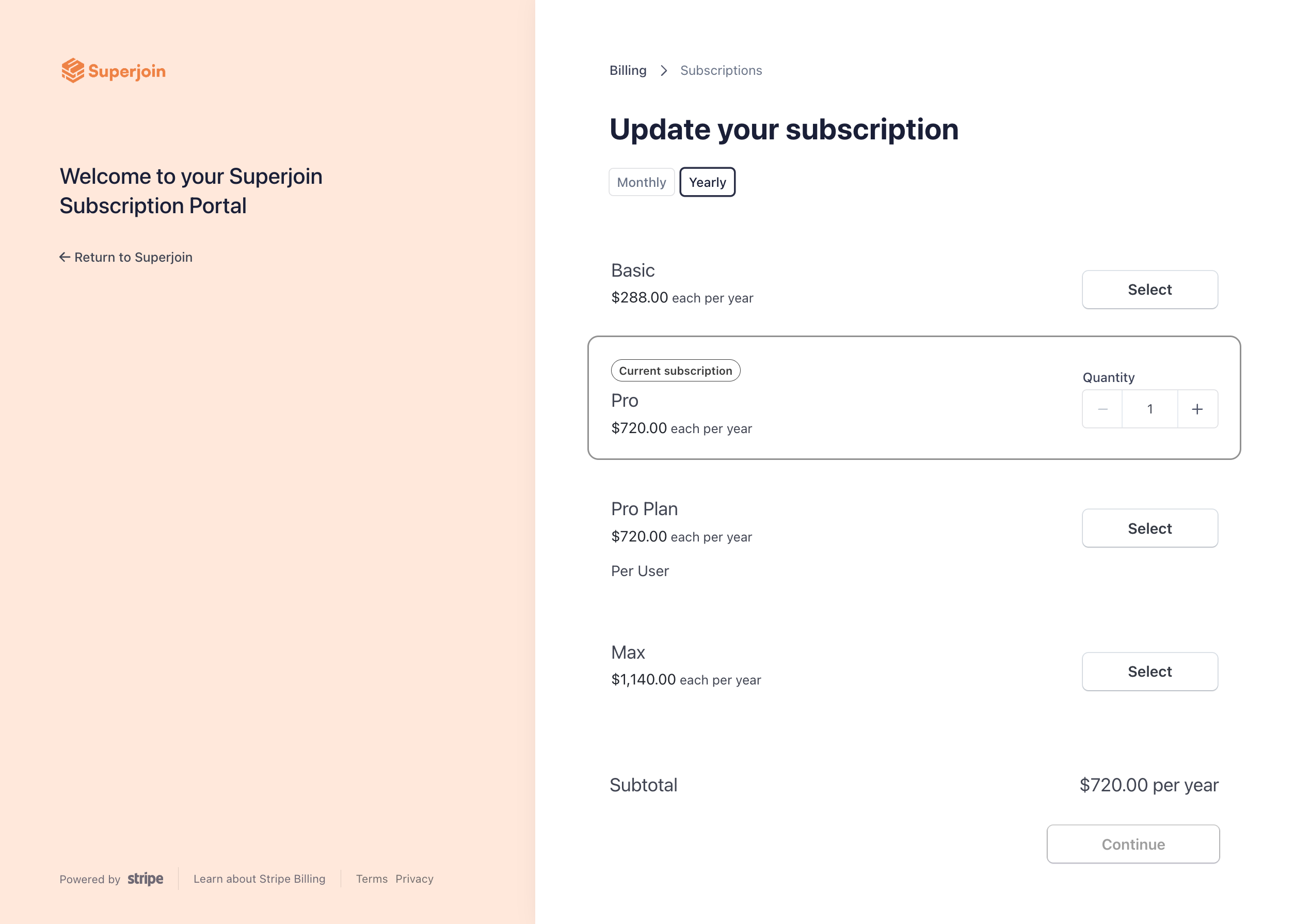
5
Contact Superjoin Support
Once you have removed the seat(s), reach out to Superjoin Support via support@superjoin.ai and provide them with the email addresses of the teammates you want to remove from Superjoin. We will deactivate your teammates’ licenses promptly.
6
You're all set!
Congratulations! You have successfully removed teammates to your Superjoin account and can now collaborate effectively.