

If your preferred workflow requires getting the IDs manually from HubSpot, here’s how you can do it:
1
Gather the relevant Record IDs by matching the Data between Sheets and HubSpot
Go to the 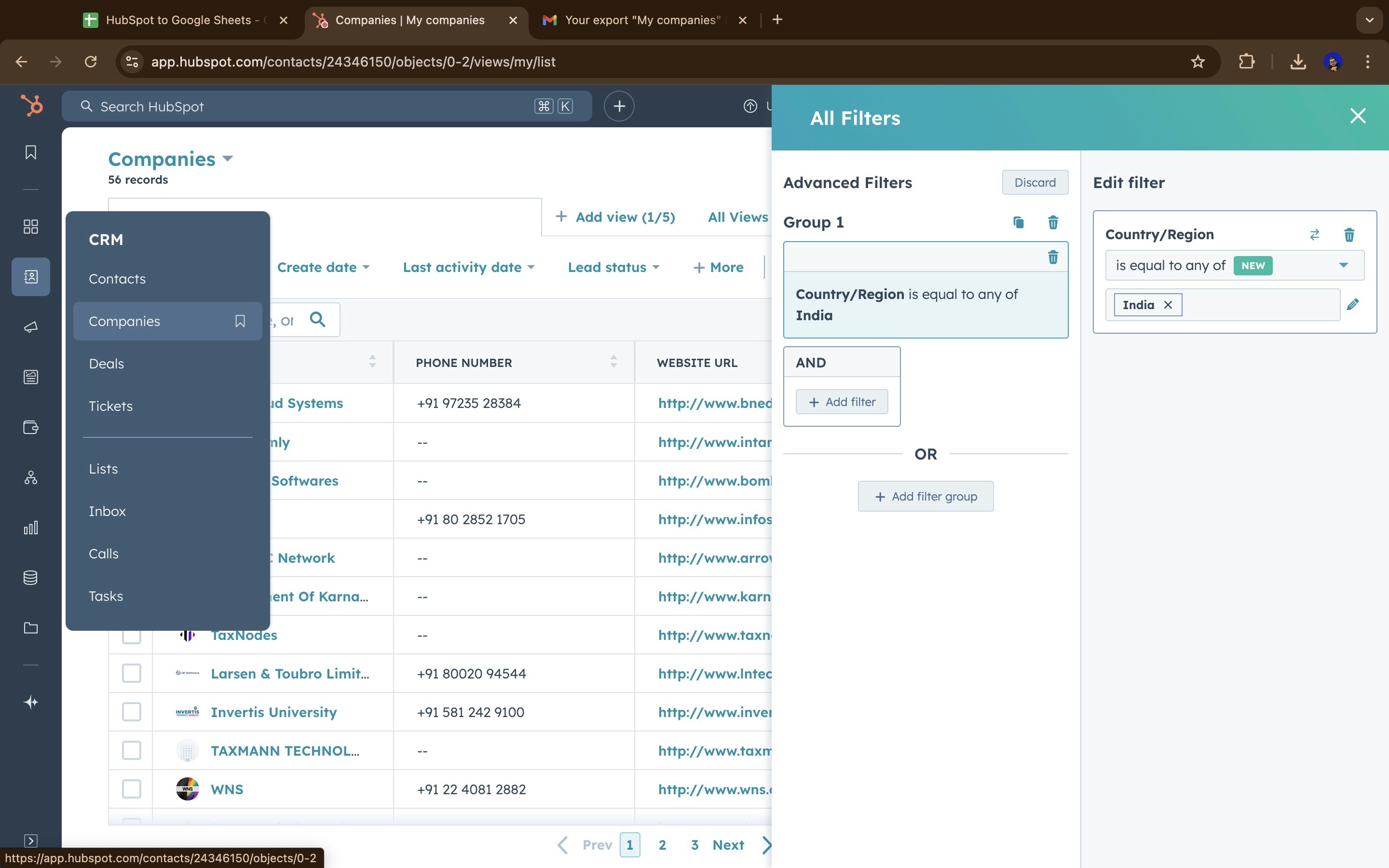
Object in HubSpot and tweak the Advanced filters in order to view the exact data you’ve been working with on Google Sheets so that you retrieve the accurate Record IDs.2
Export the data as a CSV file
Click on 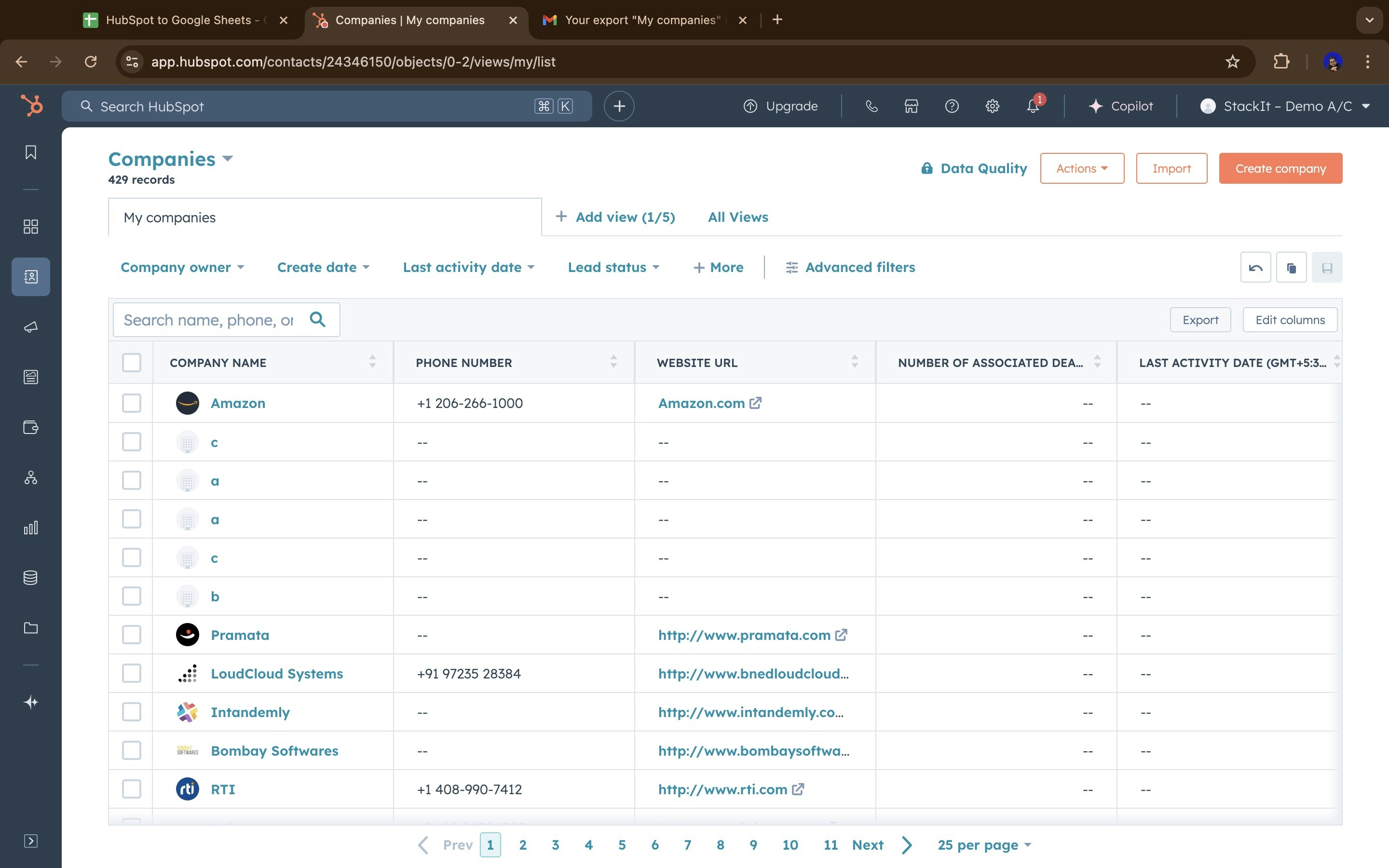
Export and download the data in a CSV file.3
Import the CSV to Sheets
Click on 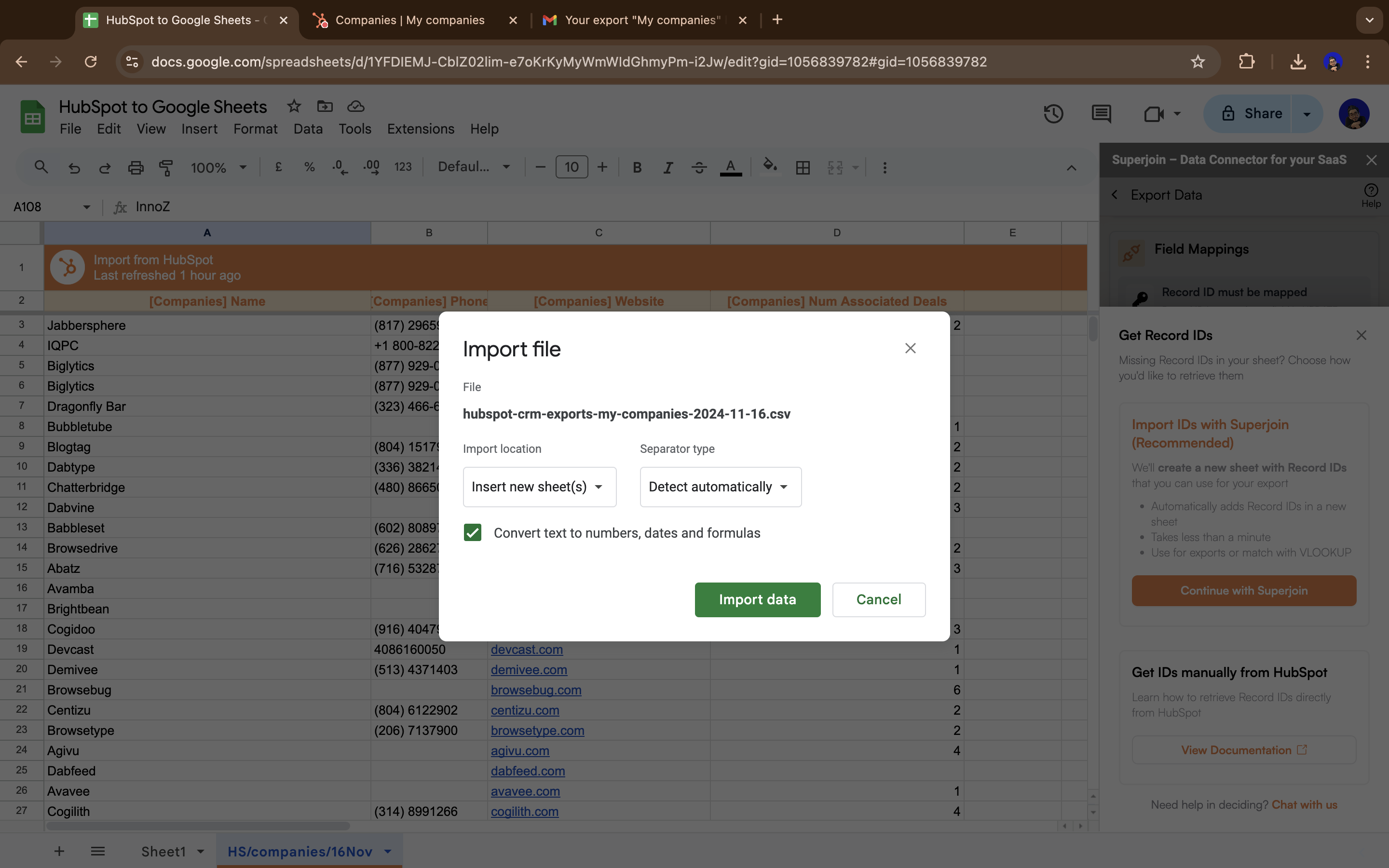
File —> Import and then browse for the CSV file to import it in a new sheet.4
Match the Record IDs
Perform a 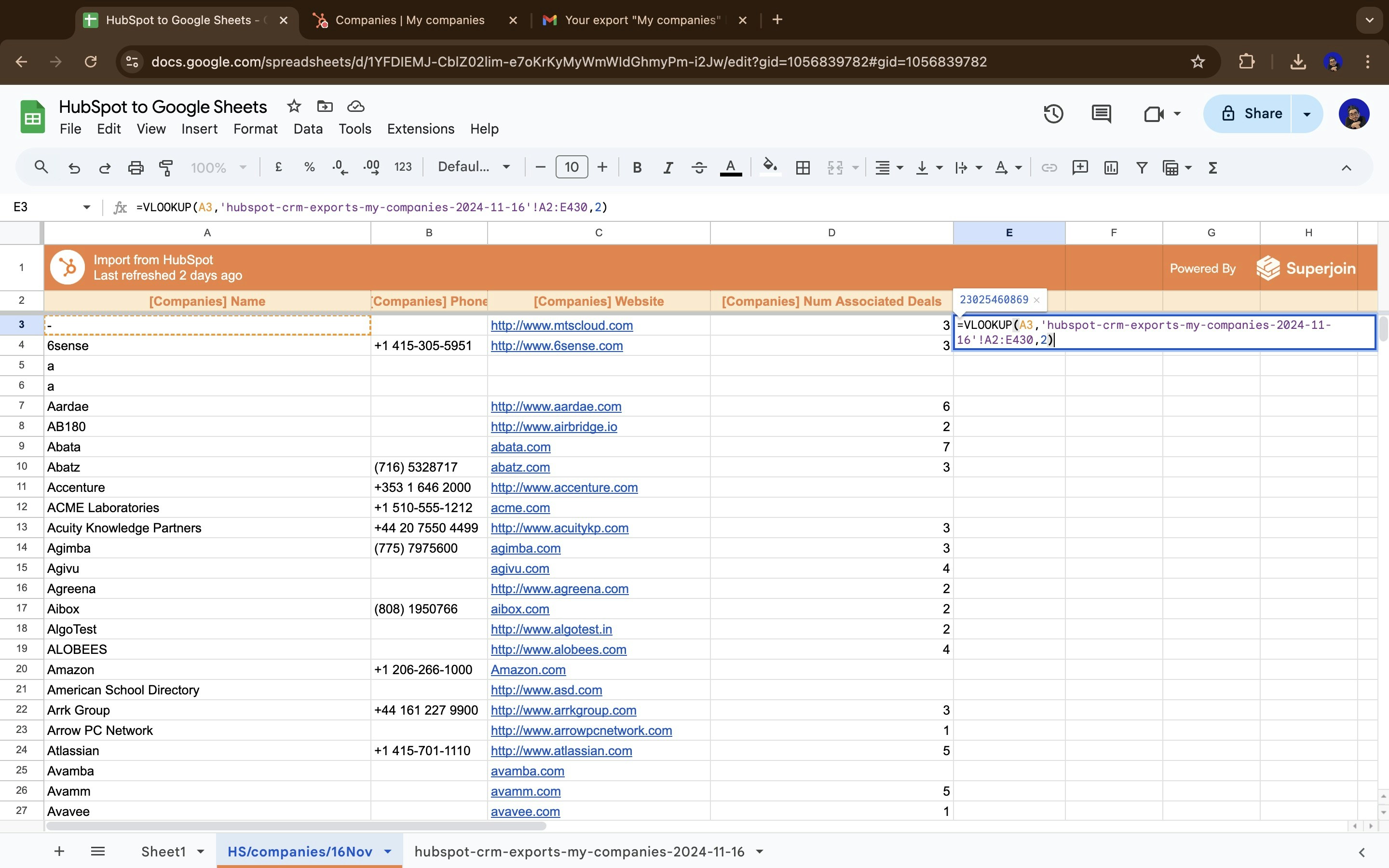
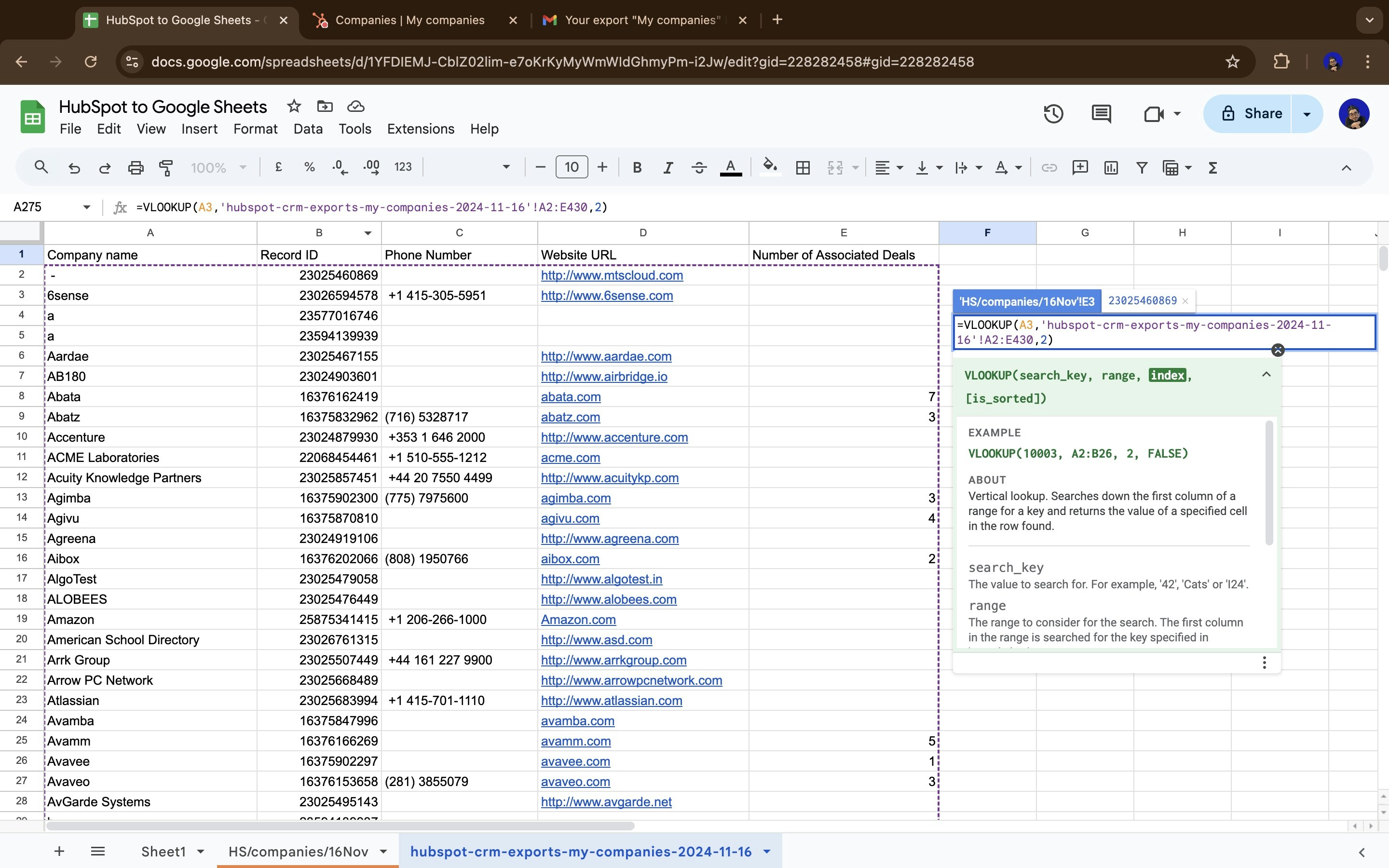
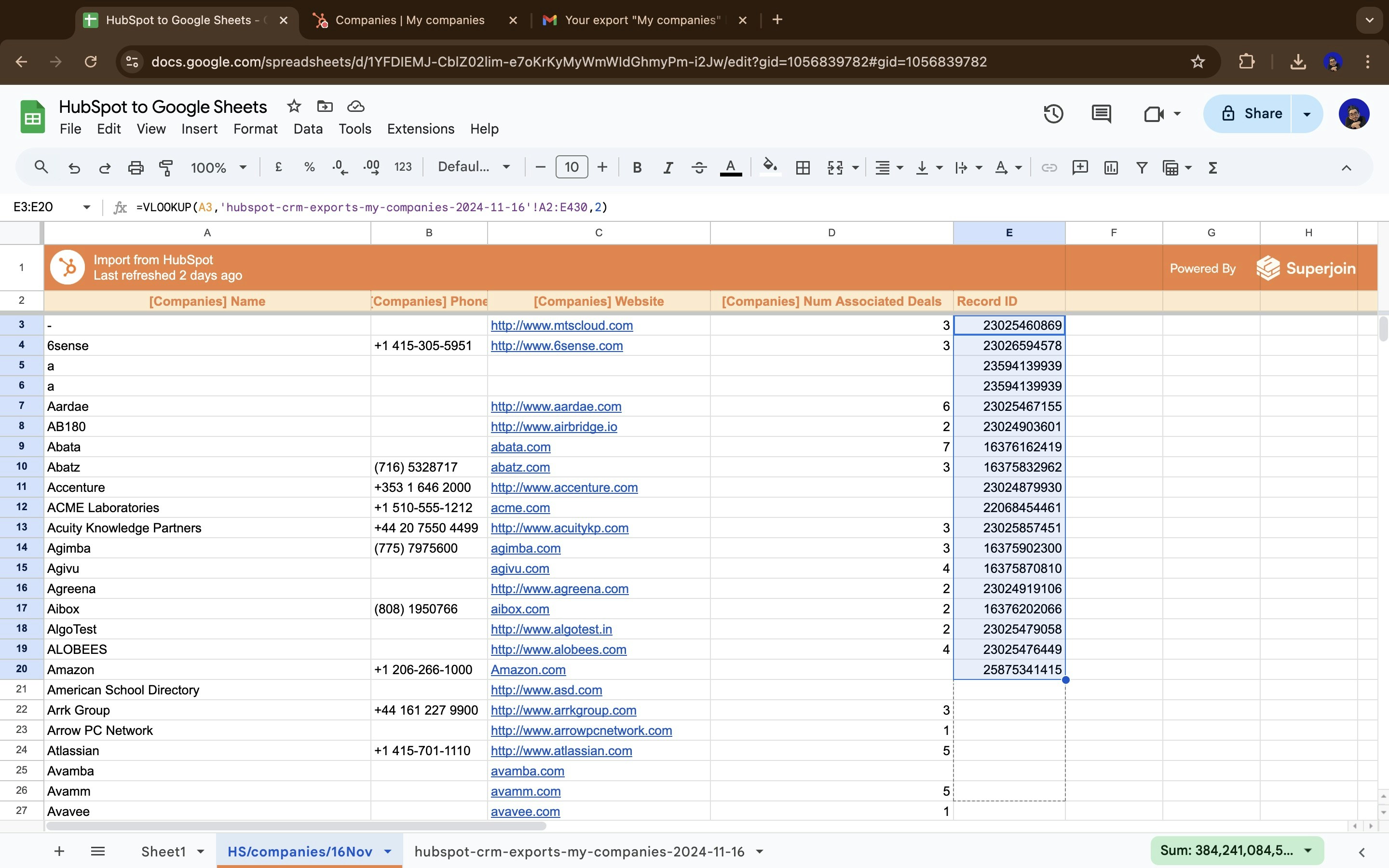
VLOOKUP on the new sheet to accurately find the Record IDs assigned to each record.Now use the drag down feature for the
VLOOKUP to be applied for all records.5
Map the fields
Map the Google Sheet’s Record ID field to the HubSpot’s Record ID field on Superjoin. Click on 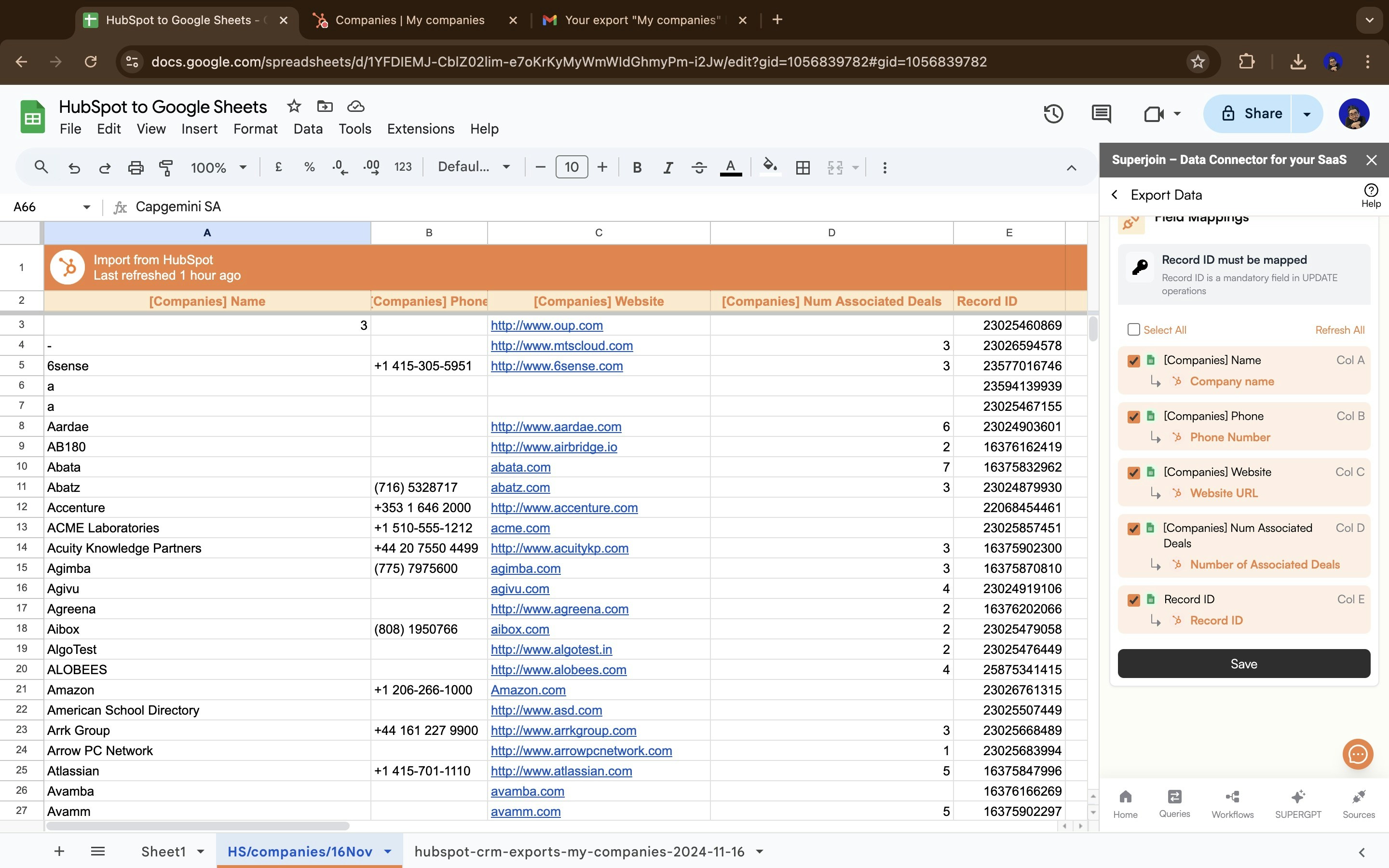
Save and then follow the rest of the steps on the Export Data page for exporting data back to Hubspot.