

1
Launch Superjoin
Open Superjoin by clicking on the icon that is on the top right of your Google Sheets.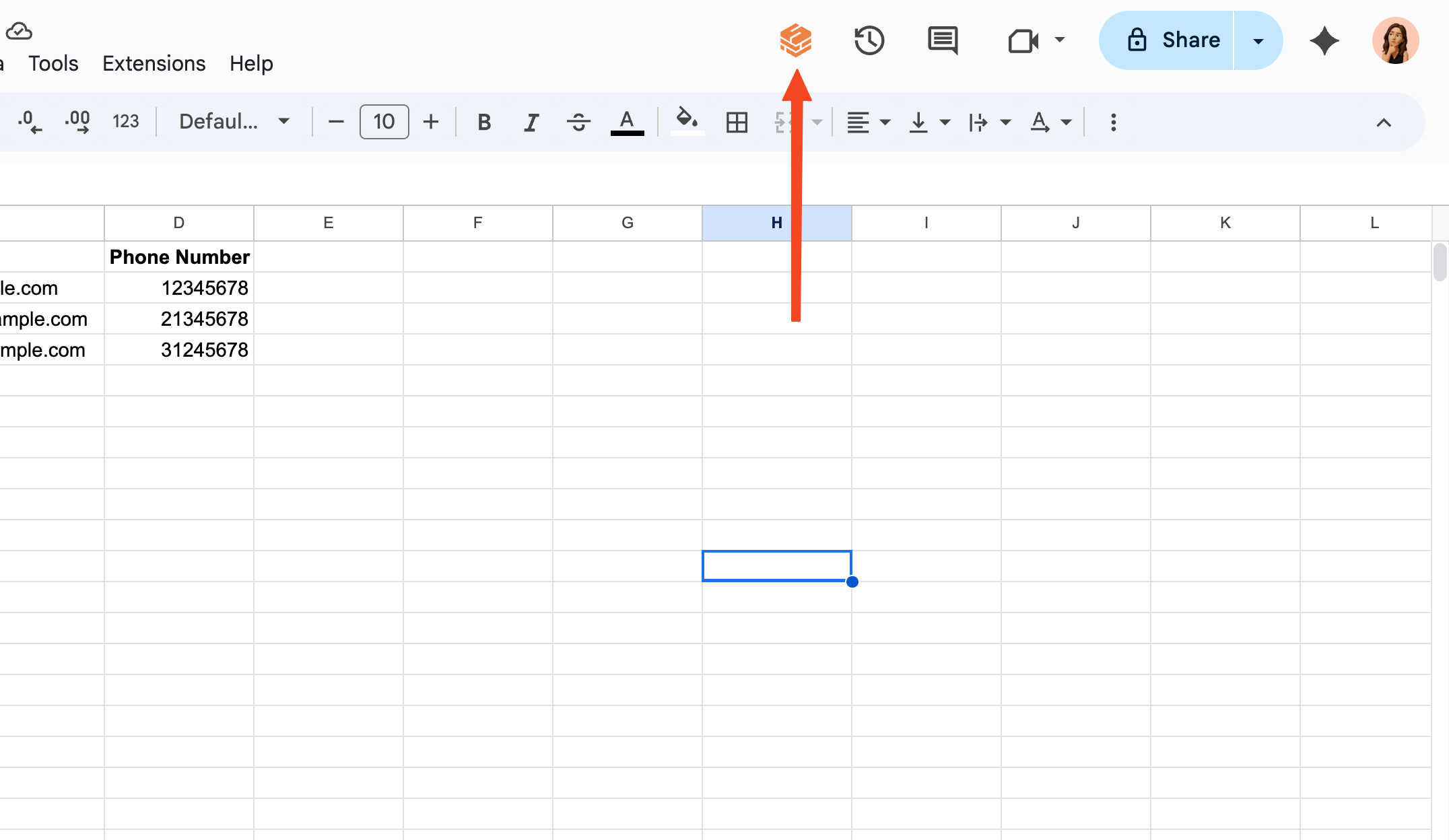
2
Go to Account Management Dashboard
Click the purple button on the top of the screen that shows your current plan and click on “Manage Subscription” button.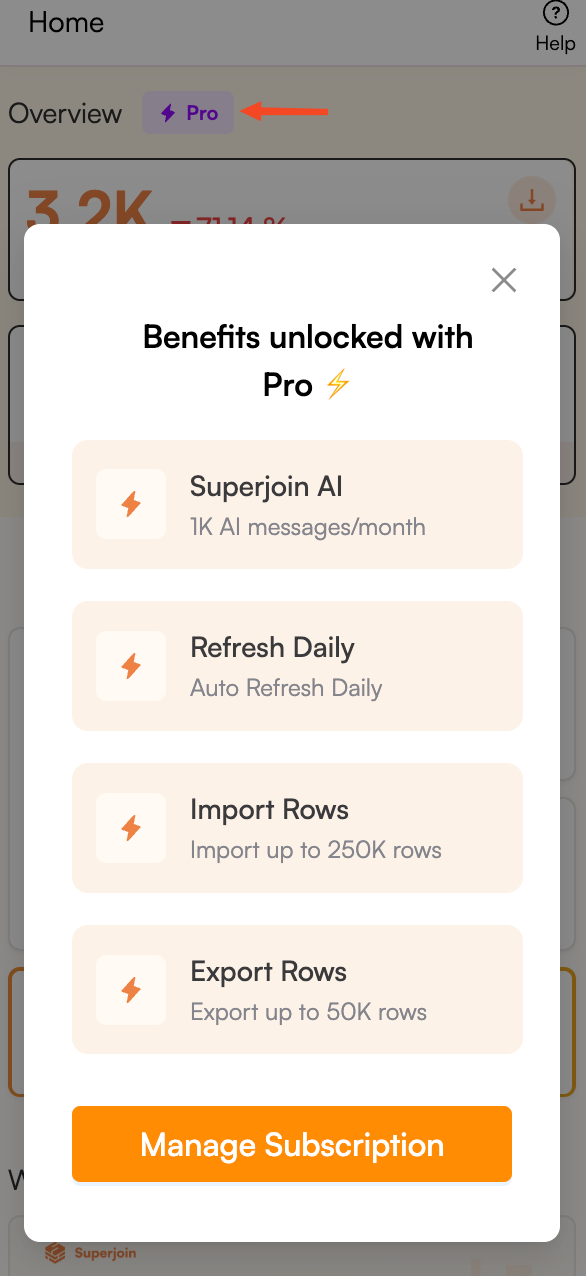
3
Add a New Payment Method
In the Account Management Dashboard, click on the “Add Payment Method” button as shown below.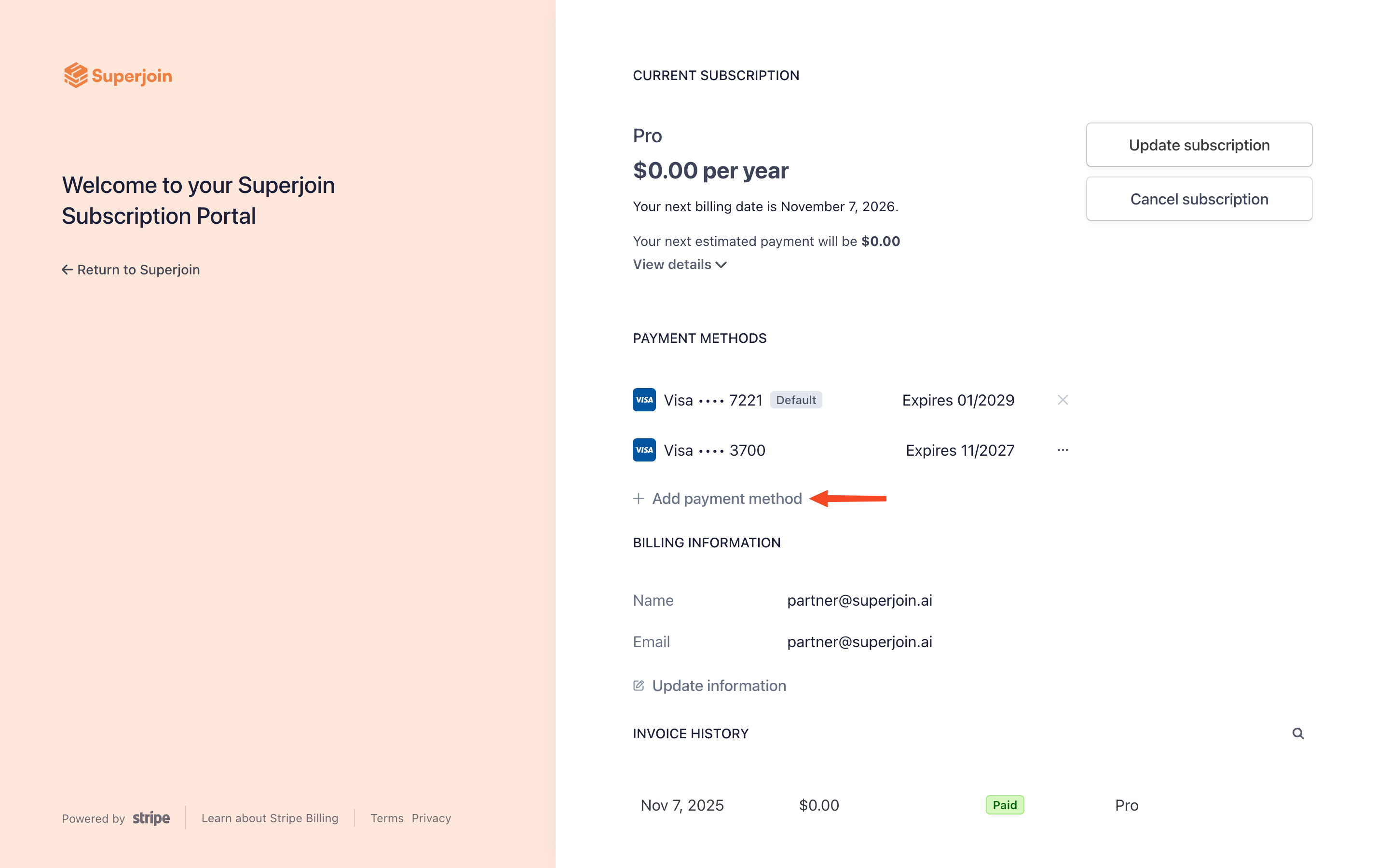
4
Add your Payment Details
Enter your new payment details in the provided fields and click on the “Add” button.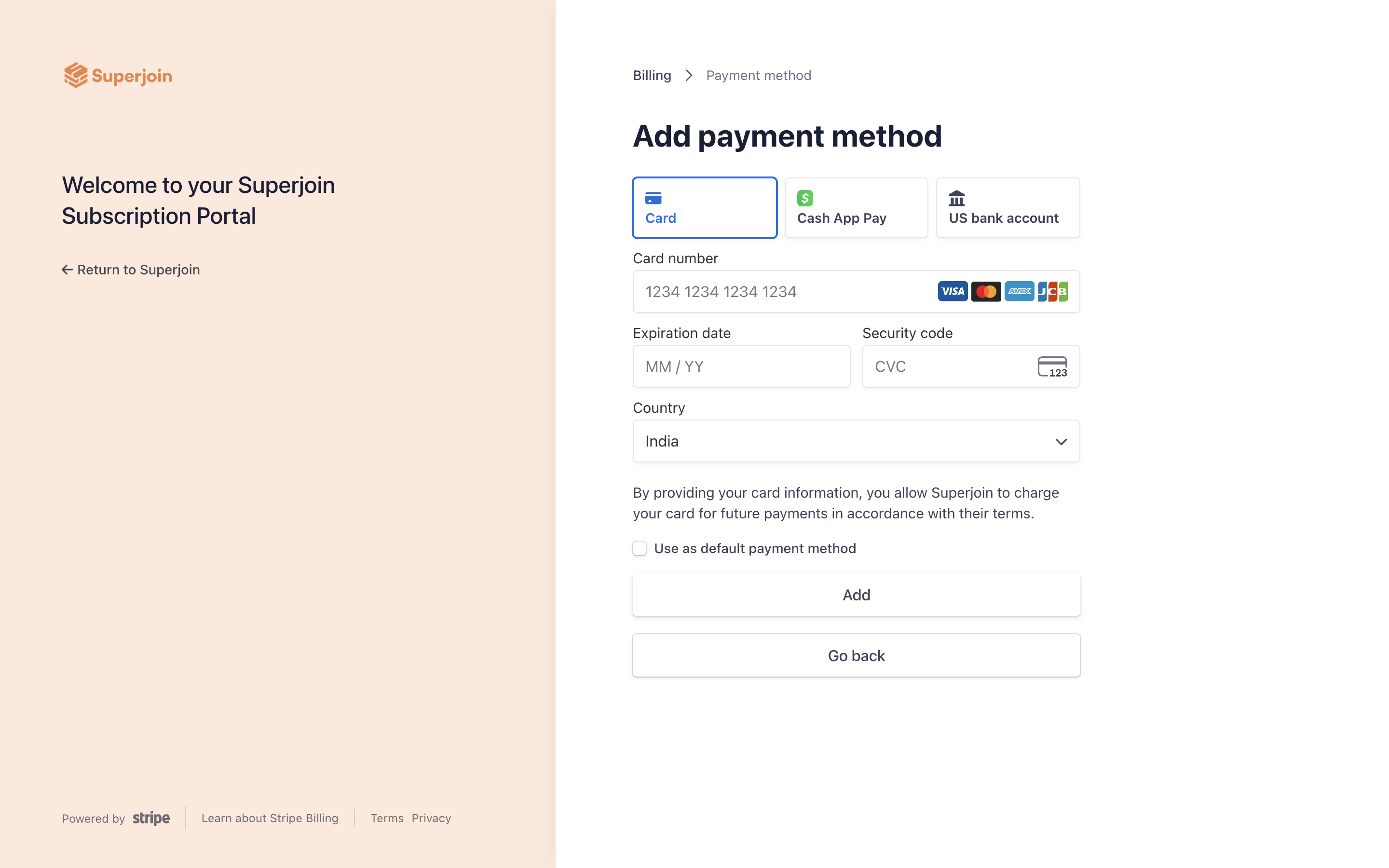
5
Change your Payment Method
Select the newly added payment method as your default payment method for future billing. Once selected, you can remove the old payment method if desired.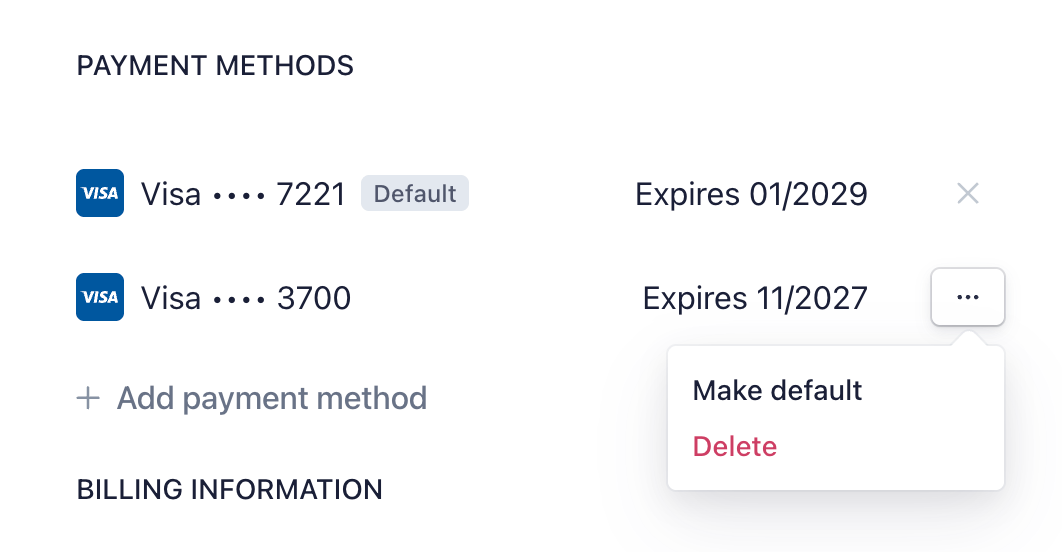
6
You're all set!
Congratulations! You have successfully updated your payment method for your Superjoin subscription.