

1
Launch Superjoin
Open Superjoin by clicking on the icon that is on the top right of your Google Sheets.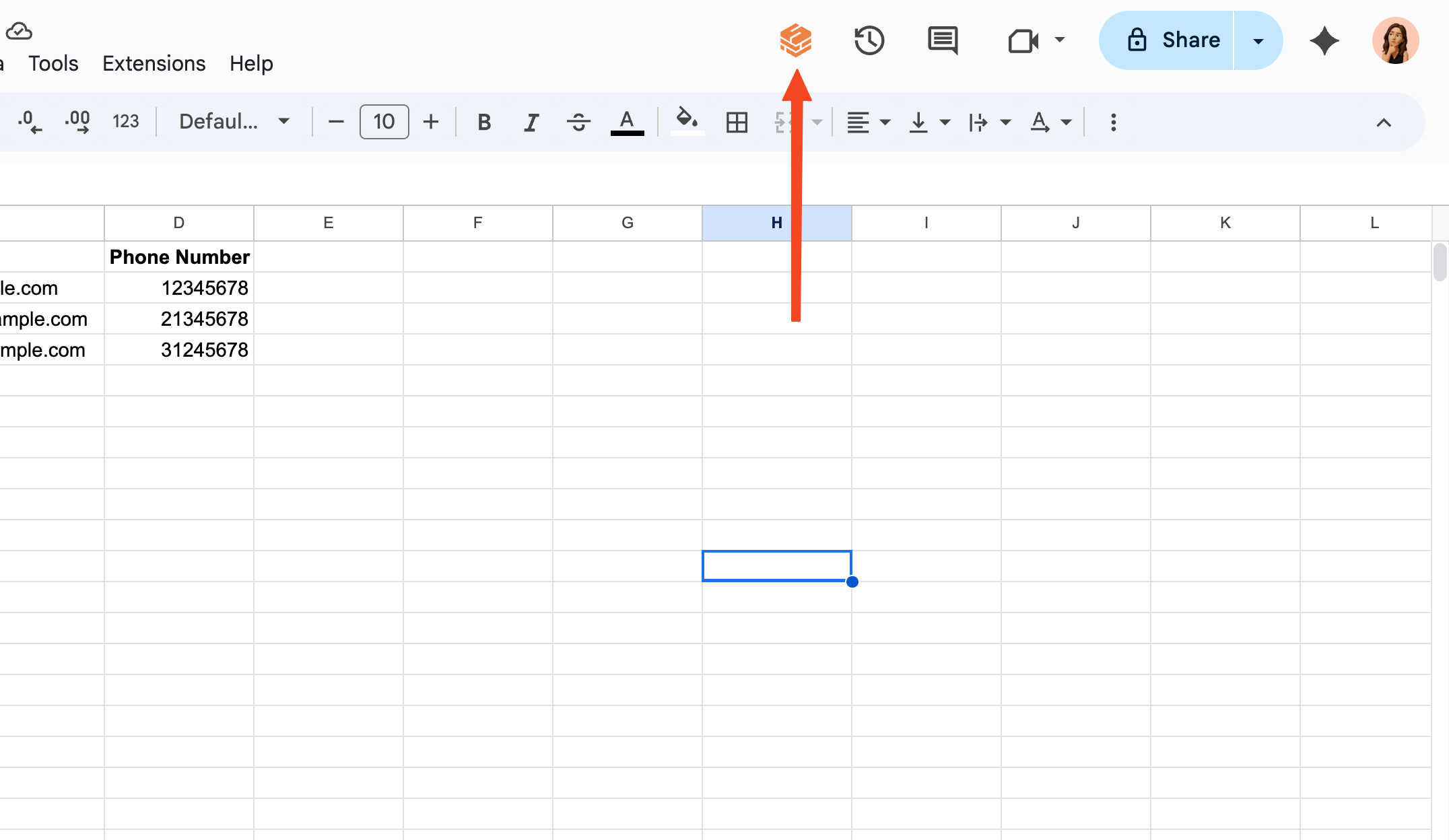
2
Go to Account Management Dashboard
Click the purple button on the top of the screen that shows your current plan and click on “Manage Subscription” button.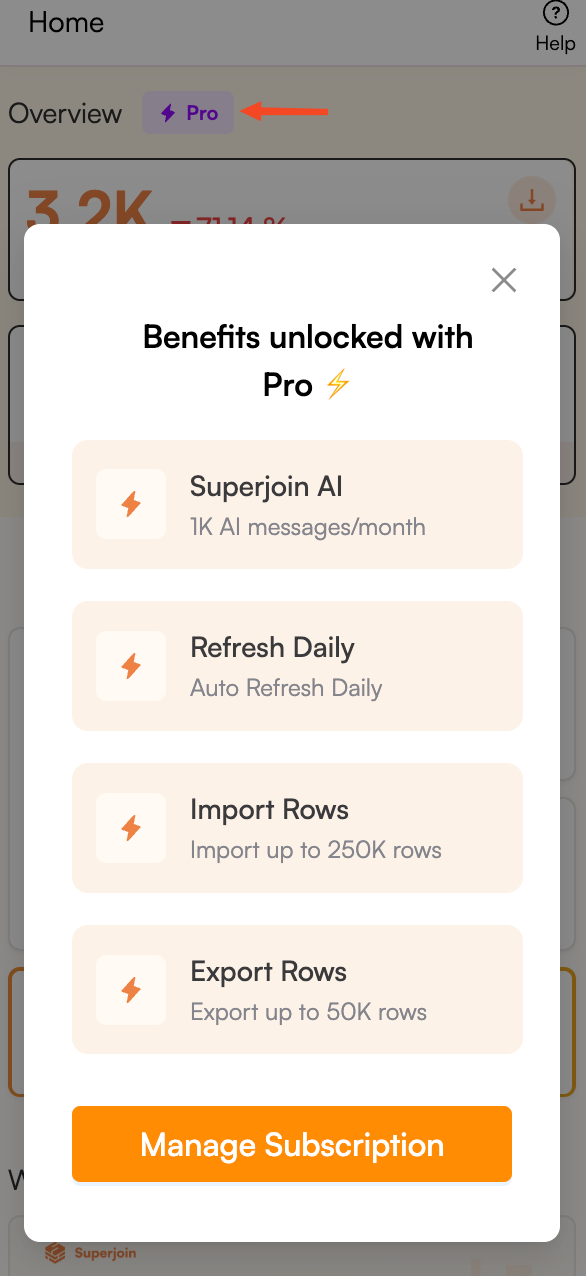
3
Select Past Invoice
In the Account Management Dashboard, scroll down to the “Past Invoices” section and click on the invoice you want to view.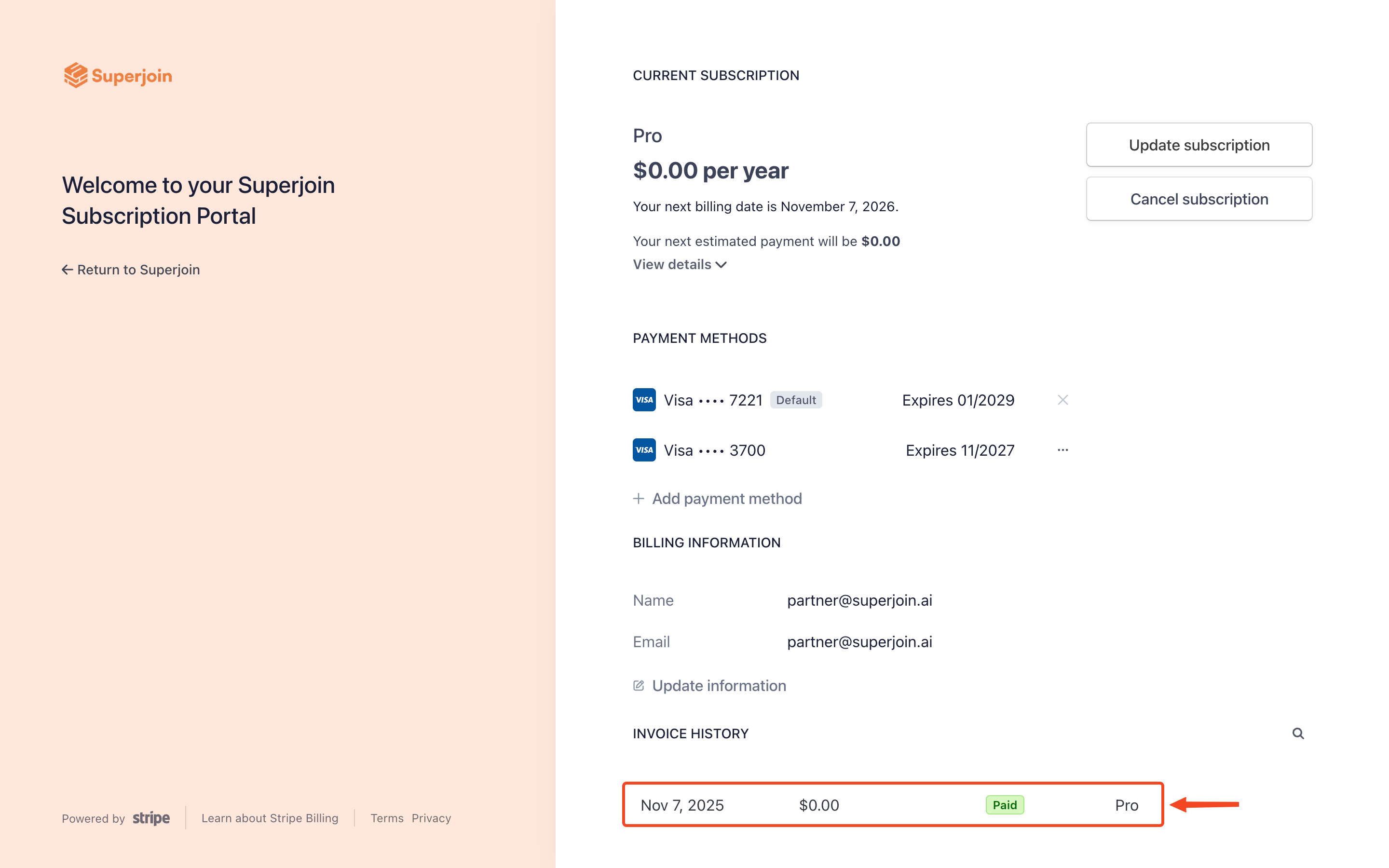
4
Choose what to do with the Invoice
You can download the invoice as a PDF, download the receipt or view the invoice in your browser by clicking on the respective buttons.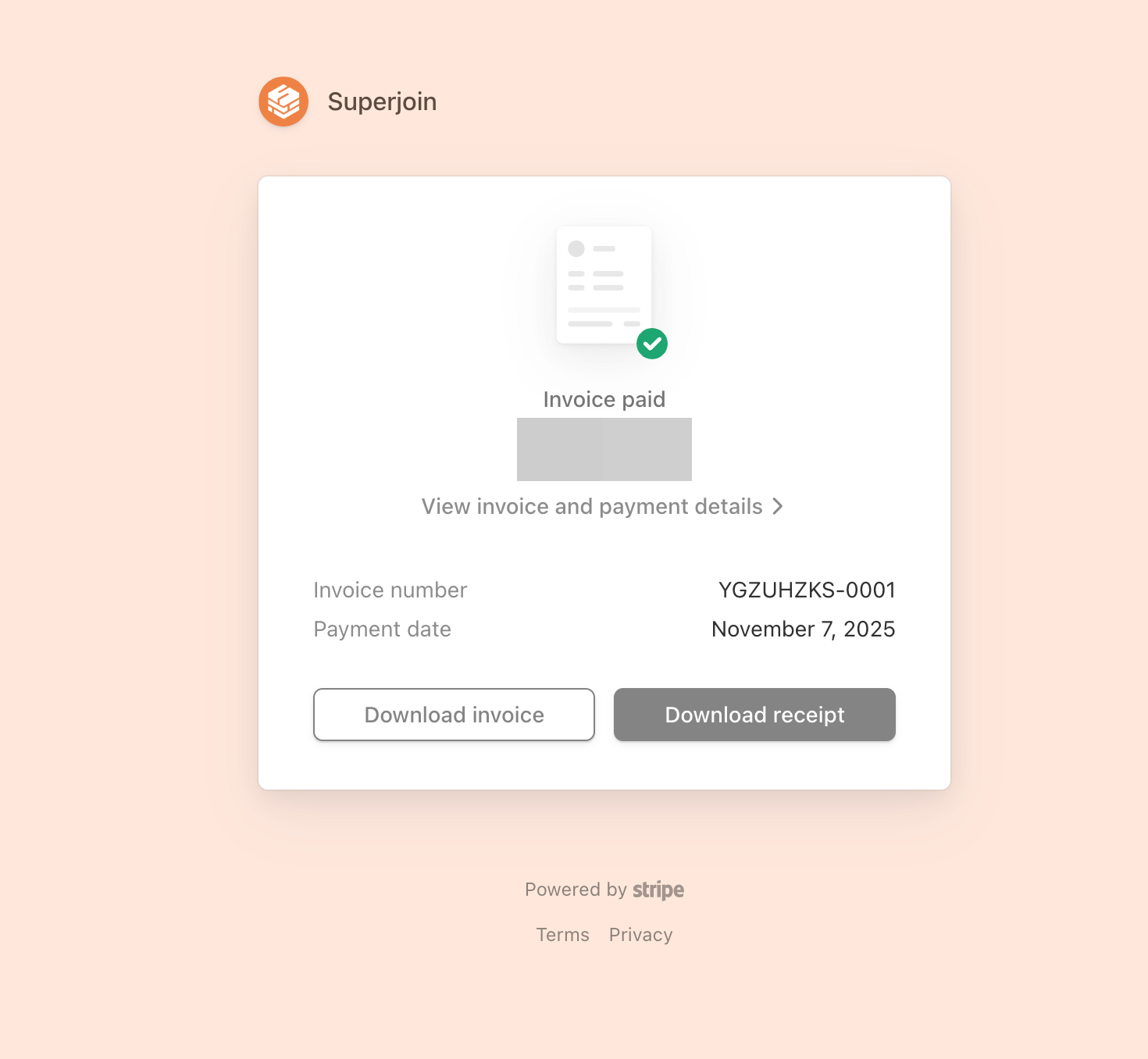
5
You're all set!
Congratulations! You have successfully viewed your past invoice for your Superjoin subscription.