

- Install on Google Sheets
Here’s the step-by-step guide to Install Superjoin’s AI Copilot on Google Sheets.
1
Open Google Sheets
Open from Google Drive or type
sheets.new in a new Google Chrome tab.2
Launch Extensions
Click on
Extensions from the Google Sheets menu.3
Get Add-ons
Select 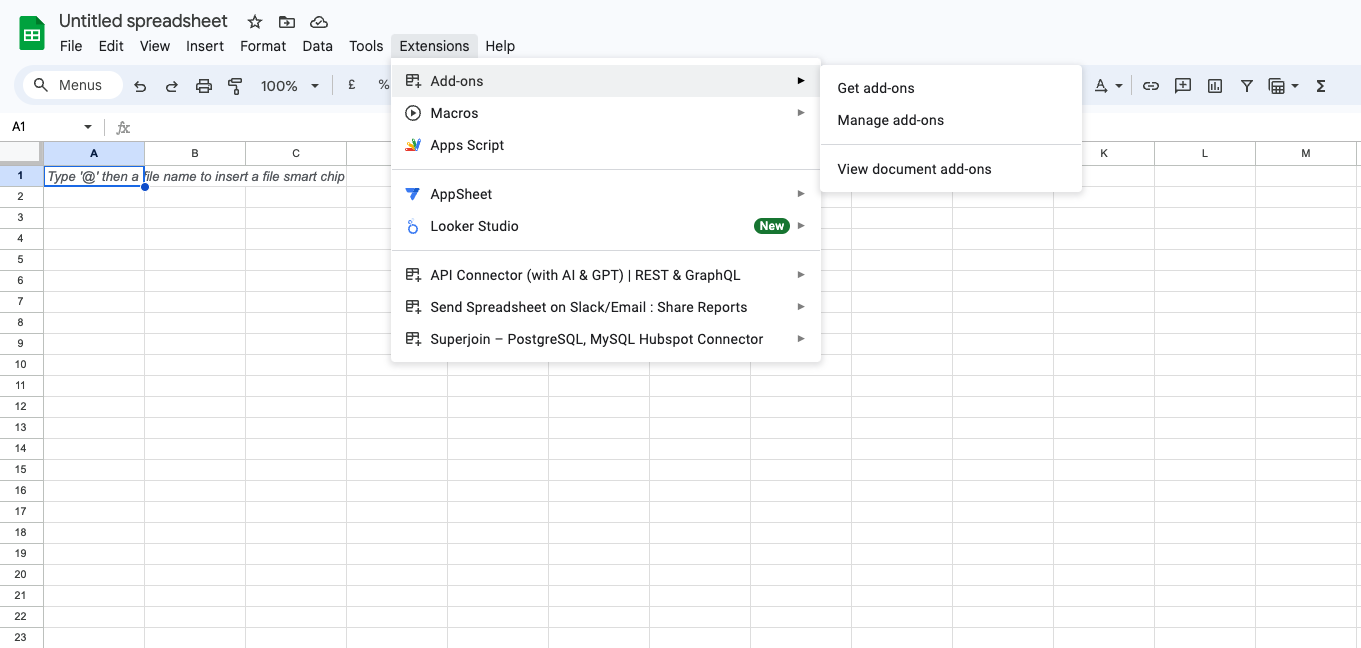
Add-ons and choose Get add-ons. This action will redirect you to the Google Workspace Marketplace.4
Search Superjoin
In the Google Workspace Marketplace pop-up window, search for “Superjoin”.
5
Click on Install
Open the 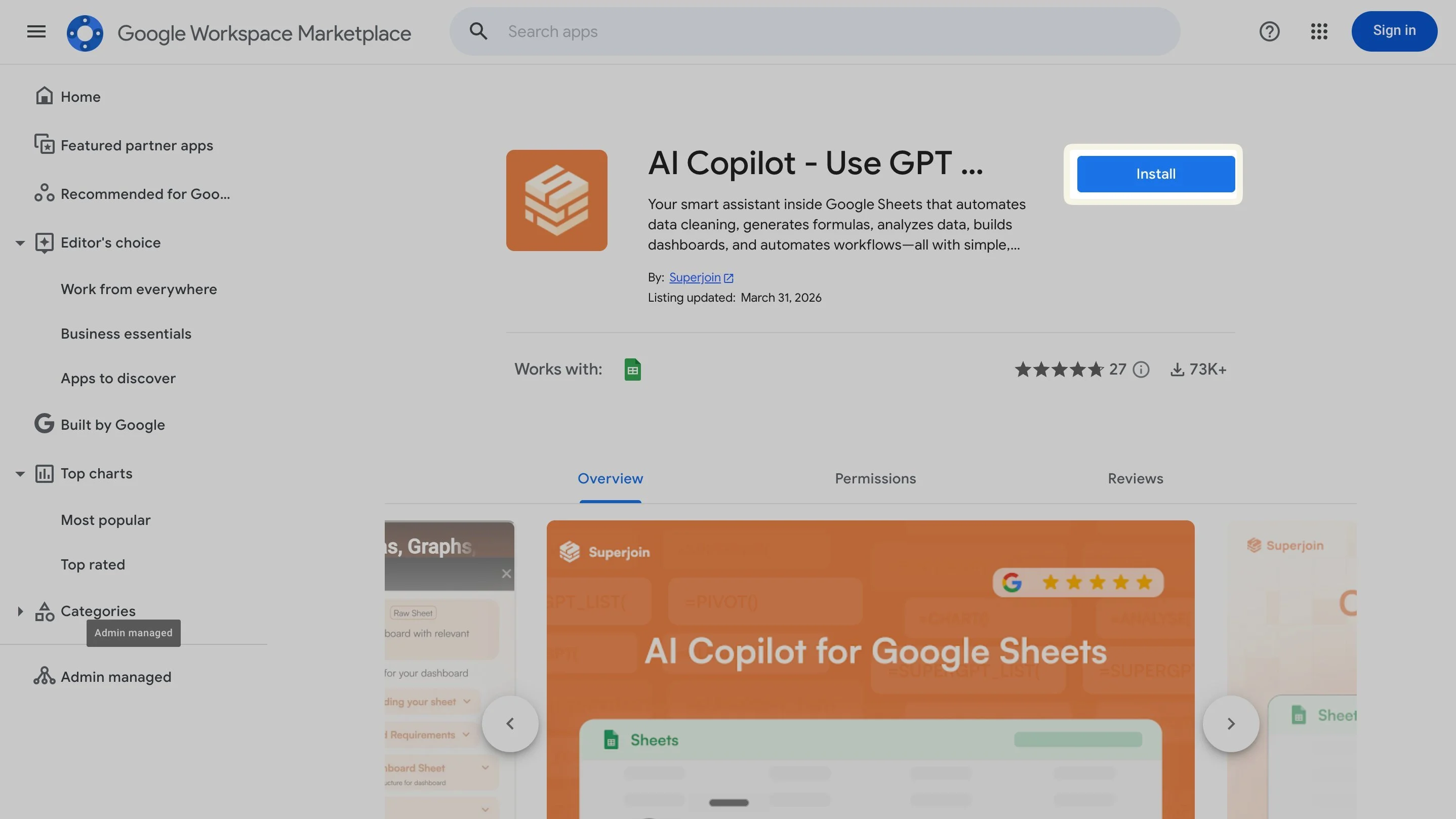
AI Copilot – Use GPT / Gemini on Google Sheets listing and click the blue Install button. Approve the permissions to finish.
Note: For the best experience, install Superjoin where there’s only a single account is logged in the Chrome profile.
6
Back to Sheets
Once installed, navigate back to the
Extensions menu tab in Google Sheets.7
Launch Superjoin
Hover over 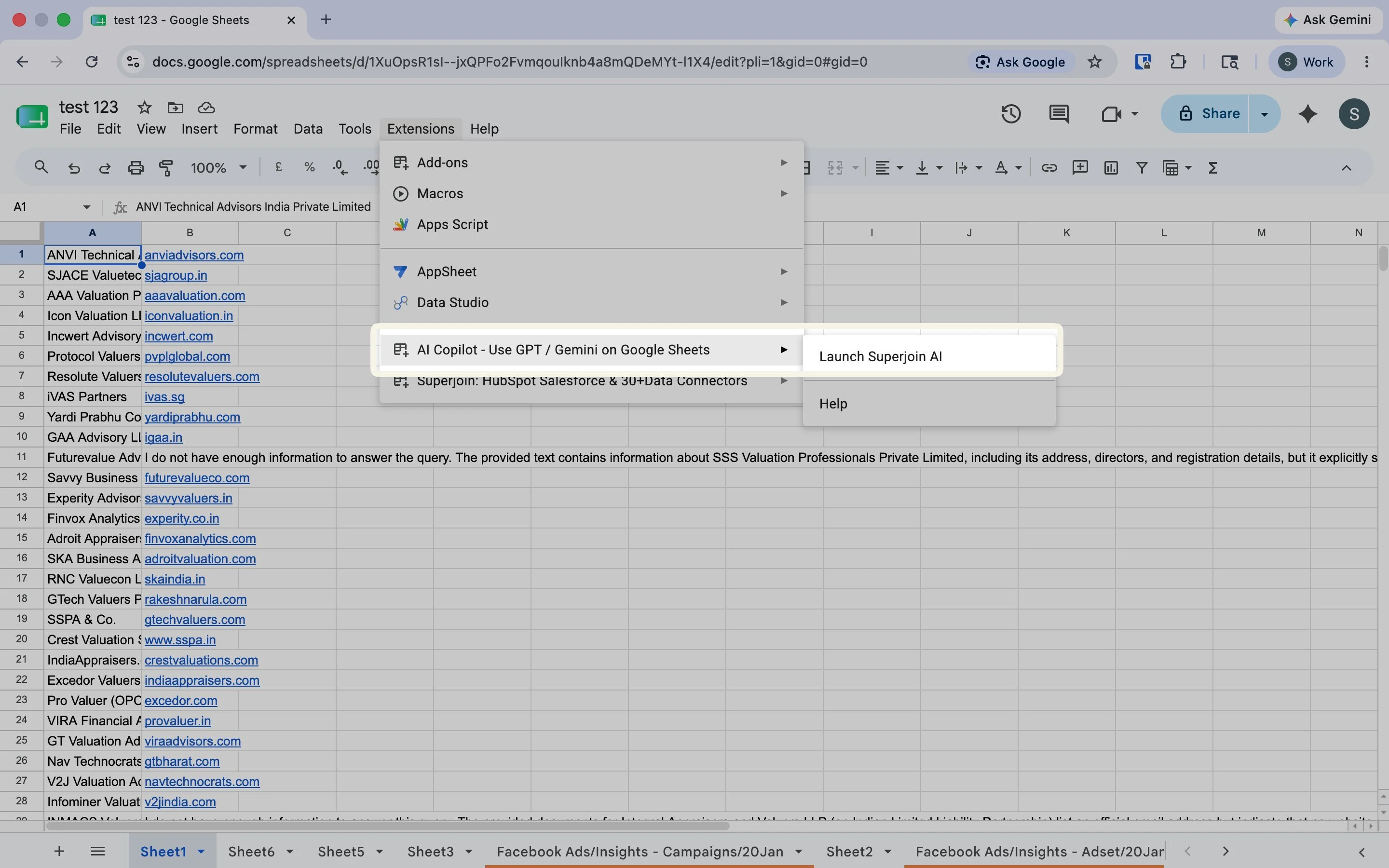
AI Copilot – Use GPT / Gemini on Google Sheets and click Launch Superjoin AI.8
You're all set!
Superjoin now runs as a side panel on the right of your screen. Type a request to get started.
In cases where only “Help” is visible after clicking on
Extensions, refresh your Google Sheet and wait for some time. Sometimes it takes
over a minute to load. If you are still facing the issue, email us at support@superjoin.ai.What you can do with AI Copilot
Skip the manual work — just describe what you need in plain English and let the AI Copilot handle it right inside your Spreadsheets!Write formulas with AI
Describe what you want in plain English and let Copilot write complex formulas for you.
Clean & format data
Fix date formats, standardize values, and tidy up messy data in seconds.
Build dashboards & charts
Turn raw data into dashboards, charts, and trackers automatically.
Analyze with natural language
Ask questions about your data and get instant answers and insights.